Hello
Well, I have never posted on a blog before but my husband thinks its a good idea! And he won’t let me get on with my Knitting until I do, so here it is.
Hopefully more to follow soon.
Bye for now. C.
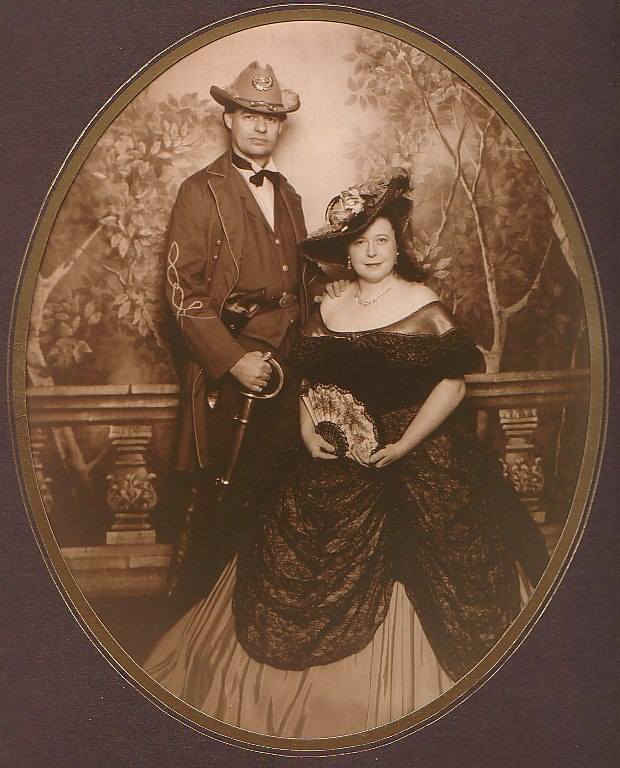

Family, Photography and other misc news
Hello
Well, I have never posted on a blog before but my husband thinks its a good idea! And he won’t let me get on with my Knitting until I do, so here it is.
Hopefully more to follow soon.
Bye for now. C.
More Blog configuration: Tonight once home I manually moved my posts from my first blog to the new dev blog. Just cut and paste. Next time I need to move to a different blog, the full WordPress software allows easy export and inport.
I then backed up dev to my laptop and deleted Live.
If your after a good FTP client for OS X, I use Transmit. Makes jobs like this very easy.
Then I FTP,ed the contents of dev to Live. Once that was done I logged into WordPress altered the paths to refer to the blog new location.
Everything seemed to work, so now the final part to delete dev.
Wow, its all still works!
Update:
Well nearly works; the picture I had in a post was lost, I suppose I need to read up on how to officially move a site!
How to manage your WordPress blog remotely.
Well I always have my iPhone with me so that seemed the best way. I had a search on the iTunes application store and soon found a WordPress ios application. It was free so I downloaded, installed and gave it a whirl.
Well I spent a while not getting anywhere, like many other users.
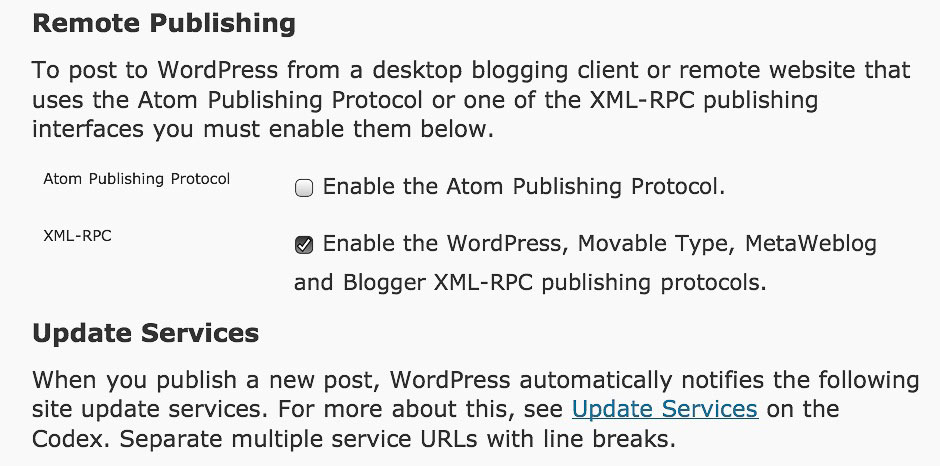
What they don’t tell you, or at least I never saw it; you have to enable remote access in your blog first.
It’s easy to do, just log in, select settings, then writing, and at the bottom enable the access. Easy when you know how.
Sent from iPhone during lunch.