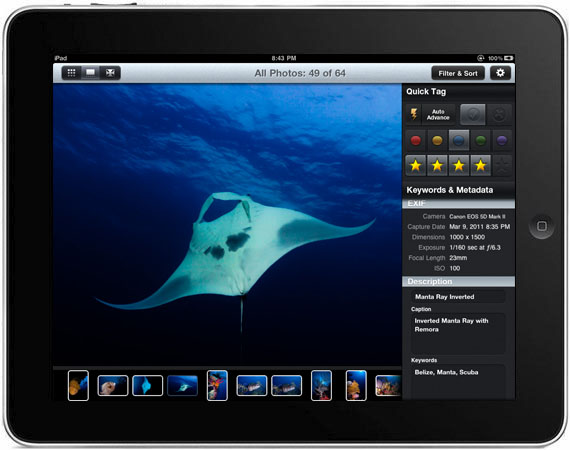
Well I keep going on about the tools I want for for the iPad, especially tools that link to Adobe’s Lightroom. But what if you don’t use Lightroom but use its arch rival Apple’s Aperture or even just iPhoto from Apple’s iLife Suite of apps.
Well there is now an app for you too. Pixelsync. As I use iPhoto for some tasks, I might give it a try.
That also gives me an idea for a future blog post, workflow.
This week, it is my wonderful wife’s birthday. We are taking tomorrow off work to go out for a nice meal.
As promised I have the DVD’s you wanted but did I get you an iPad? You will just have to wait and see.
Lots of Love from all the family.
PS for Photographers out there, buying your partner some nice flowers also gives you the opportunity for you to practice your still life techniques. Just don’t tell them!
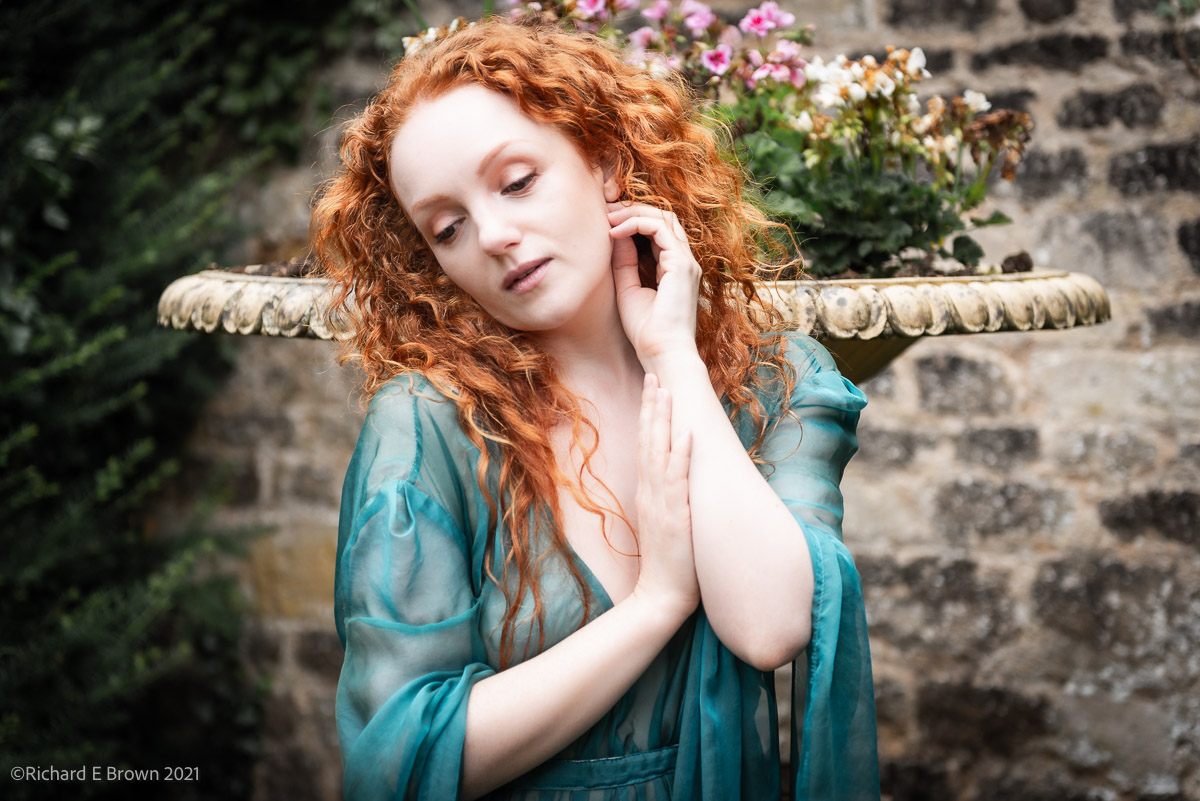
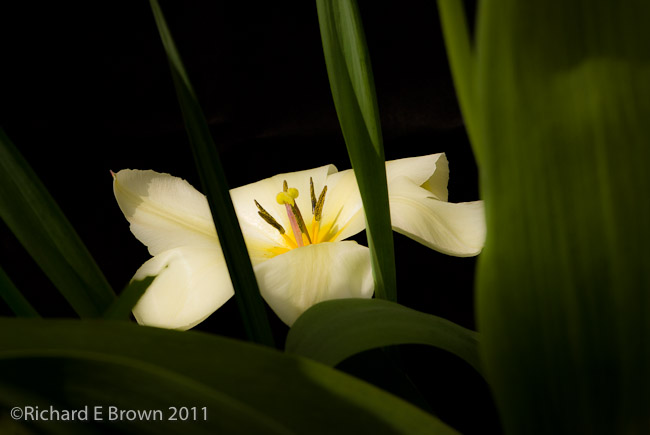
I was thinking that I would have my next flower photo shoot in the studio, but then I thought it would be good to show you what could be achieved with just two flash guns outside on a sunny day.
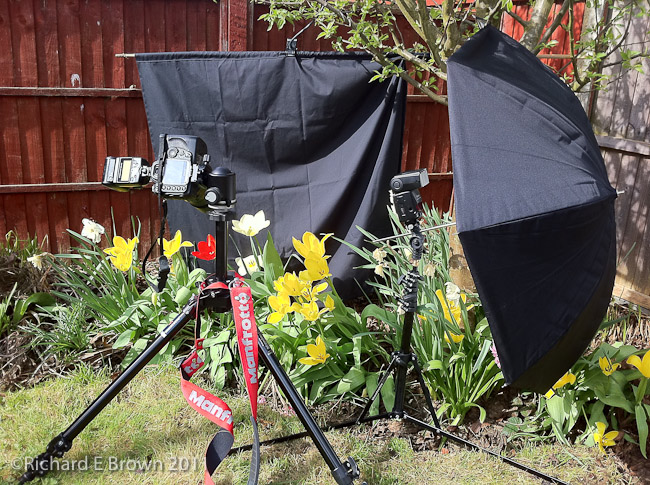
The setup is relatively easy. Camera on tripod with hot shoe flash and a moderately short telephoto lens in my case a D200 with a Nikkor 105mm f/2.8.
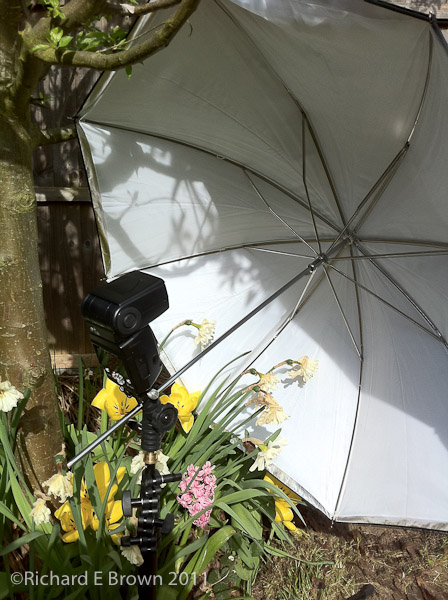
To my right I mounted a Nikon SB-800 hotshoe flash. This was mounted onto a small light stand and was firing into a small brolly.
The camera mounted flash was set up as a trigger and was not contributing to the overall exposure.
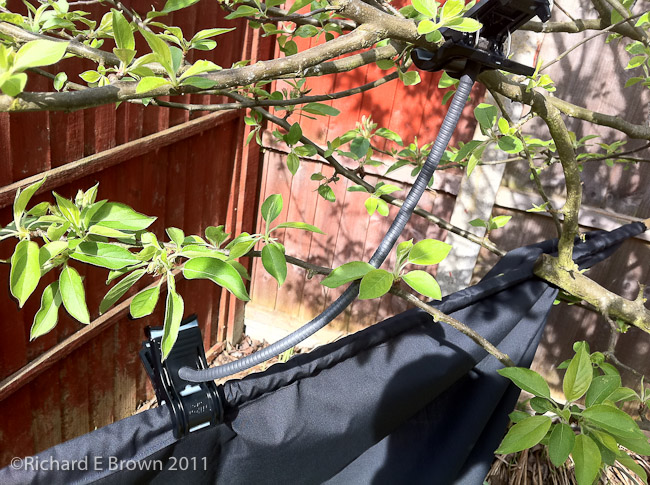
Behind the flowers I had a black cloth. This was supported by the usefully provided double ended clip that comes with the Nikon Macro Flash kit.
The actual exposure was very simple I switched the camera to manual and set the flash to FP Hi speed sync.
I picked a shutter speed in conjunction with an aperture to give me sufficient depth of field and but would underexpose the picture. The flower exposure would be handled by TTL flash.
After a couple of test shots, the photos looked a little dim, so I dialed in +2/3’s of a stop and they looked good.
I had an email from a model today asking for me to shoot her.
She has no experience and wanted me to cover all the costs and pay her £45 an hour for the shoot!
Models please be serious!
I sometimes do tfcd, but if I am paying you, it’s normally for a commissioned shoot, and you can provide me with the professionalism, experience and look I need with the minimum of work and direction, so I can nail the shot the client wants in minimum time.
If you have no experience then you have to start at the bottom, working tfcd or paying a photographer to build experience and a dramatic portfolio.
While I do not have an iPad yet, I like many other photographers can see the use they can be put through.
While some consider it useless, and label it a toy, unable to be used for real work, a joke for professionals, many people think its great for when you cannot take the trouble to carry a laptop.
To be honest when travelling I sometimes take Medium Format Camera equipment, 35mm equipment, lighting equipment and heavy tripods and light stands. Sometimes the last thing I want to add is a laptop.
Yesterday I spotted a posting from Adobe about a beta Photoshop App (see Chris Bennett’s Blog Post).
Photoshop is not one of the key apps that would make me buy an iPad but if someone released the Library Module of Adobe Lightroom then I would be buying an iPad like a shot.
http://blog.photosmithapp.com/
Well that day may well be nearly here. Check out the Photosmith Blog. This seems to offer what I want.
For heavy image work then a laptop in the field in not really the tool. Heavy image work is a job for back in the office/home with a powerful computer and controlled lighting conditions in the room, and a calibrated monitor. No, in the field its evaluating your work, making picks, keywording, metadata and quick adjusts to help you evaluate the shots.
When this gets released, together with some of the tethering apps that are coming out; Elinchrom’s and Hasselblad’s remote control apps then the iPad will be coming with me, out in the field and in the studio.