Well the hoped for Leica Compact System camera did not materialise, that will have to wait till next year, but we did get two new Leica M’s.
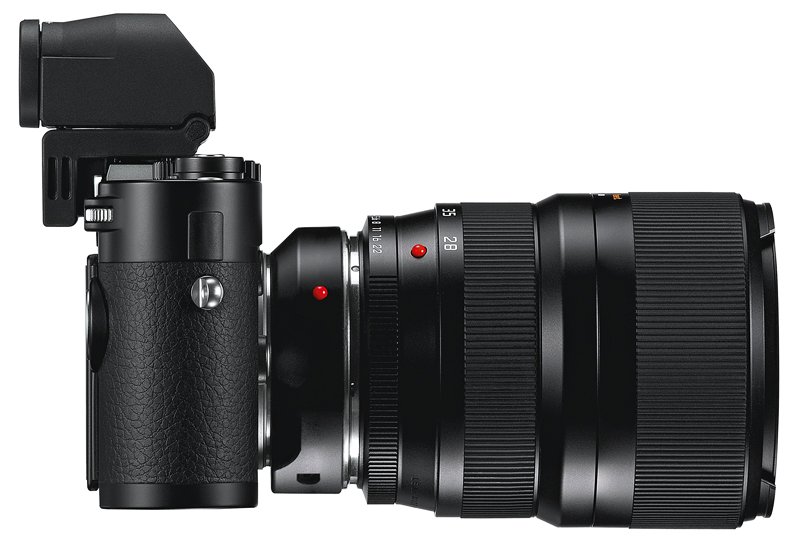
The rumoured M10 was actually the Leica M. A change for Leica in this being a CMOS sensor’ed model. At 24 MP and also with an optional EVF its a new direction for Leica M series cameras. Along side this they also announced a R series adapter. While I do not think this will make R series SLR users happy, it does give M users more options. They have also added a handgrip which includes tethering options and a GPS, plus flash TTL flash socket.
Leica M with EVF and R Series Adapter
A surprise announcement was the Leica M-E, this looks like a rebadged M9, it will be interesting looking at the details. The M9 is a stunning CCD sensor’ed camera, its limitations was always the processing power of its electronics, if its just a rebadged M9 then the price will be the key. If they have updated the electronics to make it a little more speedy then it would be worth the old M9 price.
No announcement to what will happen to the existing M9, I will certainly be looking out for some good deals.
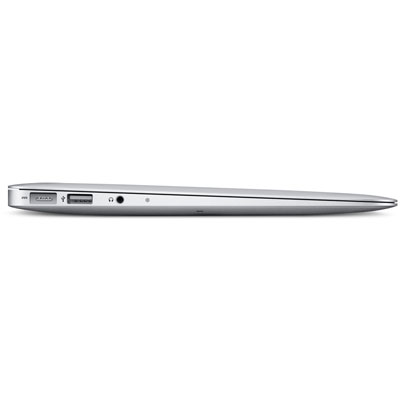
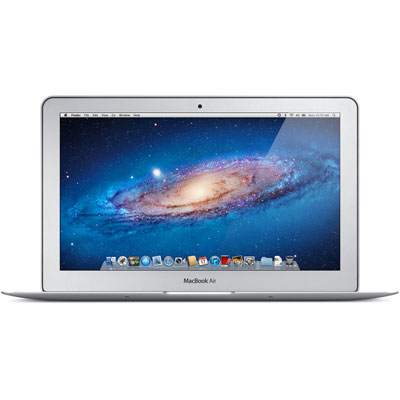
I have been thinking recently about getting a MacBook Air, the little 11 inch model.
With it having a solid state disk then going much higher then 128 GB soon ups the price, which for a secondary machine for travel is not justifiable.
You can carry an external hard drive, and I might have to for photography backup, but often I might just want to travel light. So I was wondering how can I access my music, video and photographs at home.
A bit of research, a little bit of port redirection on my router, and I soon had the answer. Now where ever I am in the world, with internet access, my local iTunes on our laptops can connect to my media server at home and play any of the videos and music on its iTunes library.
Oh yes, Caroline’s old 12 inch Powerbook is now my media server.
I’ll post about it later this week, but I had a great weekend shooting film on the Hasselblad. Now its time to reload my film backs, a bit of a lost art.
If you want to know how there are some great videos on youtube.
For Hasselblad users of the V system, loading a film:
Since April I had shot seven shots on the Large Format Ebony a traditional 5 x 4 inch none folding field camera, the first few were quite average, but it was a matter of learning the techniques involved. Just loading and unloading the film into the dark slides is a major process where much could go wrong.
Well I have now had those seven shots developed and scanned. One in particular I was very pleased with and fits in with a long term project I am working on. Unfortunately I took it in July, so it did not qualify under my own rules for picture on the month.
I was determined that this months picture of the month would be one shot on large format, so when an opportunity arose for a possible decent shot I took it. It was one shot and luckily it worked. Over the coming months i’ll be posting my scans, so you can see my results as I develop (pardon the pun) as a Large Format Photographer.
As seems to be the habit now, with less then a week to Photokina 2012, camera manufactures are falling over each other to preempt and pre-announce new products before the show.
It gets somewhat frustrating when manufactures promise something then it’s six months or more before we can get are hands on to test and judge for ourselves.
It’s one thing I really like about Apple, how often have we had a Apple announcement and the product is either available that day or within a few short weeks.
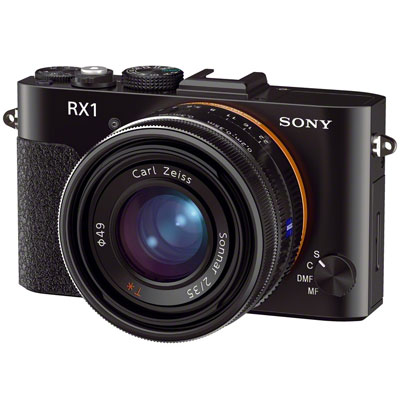
The biggest surprise so far has been Sony’s announcement of the new RX1, a full frame digital compact with a stunning Carl Zeiss 35mm f/2 lens. Great direct controls, even an aperture ring, the only thing missing looks to be a view finder.
Now if it had that, I am sure many Pros and keen amateurs would find a place for one in there camera bags.
A new full frame SLR and lots of new lens for NEX range was also announced.
Really looking forward to this show, and I have hopes or maybe dreams that Leica will produce something that I can afford, so I can use some of my old Leica Glass.
Or as I have had it put to me, film is real and digital is Photoshopped fakery.
One of the joys of digital photography is that is brings what was the art of the skilled darkroom worker and retoucher into the hands of everyone.
The majority of the great studio portraits of the movie stars from the 1930’s and 1940’s used lots of tricks with light, and filters to give them that soft glow. The skin of the stars looked perfect, due to the skill of the retoucher, who in those days used a sharp scalpel and paint brush. But as its film people believed it to be real and still do.
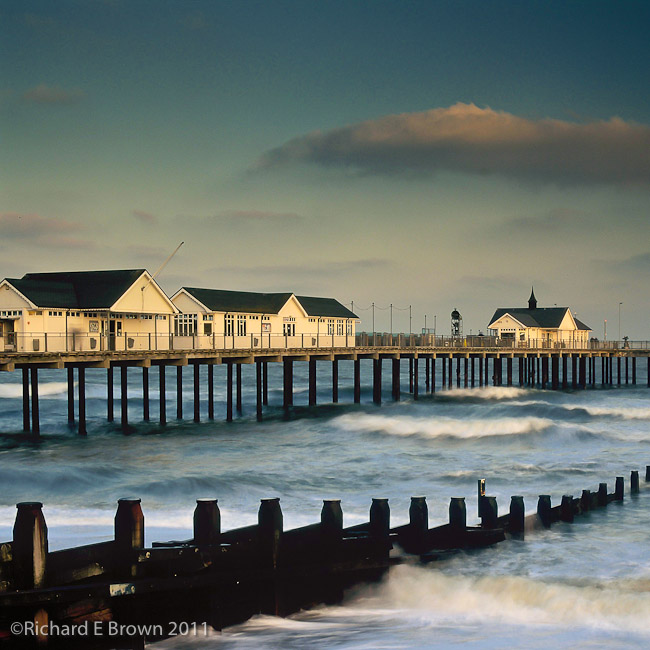
The photograph above was shot on film. Its colour, softness and blur on the sea, produced by the use of filers and a slow shutter speed. Digital trickery not required.
Is digital and Photoshop cheating, or trickery. I think not, they are artistic tools to allow the photographer to achieve his artistic vision for a shot.
I suppose it depends on what the person is trying to achieve with the shot, are you achieving your artistic vision or is the intention to trick the viewer. Truth or Advertising as the saying goes.
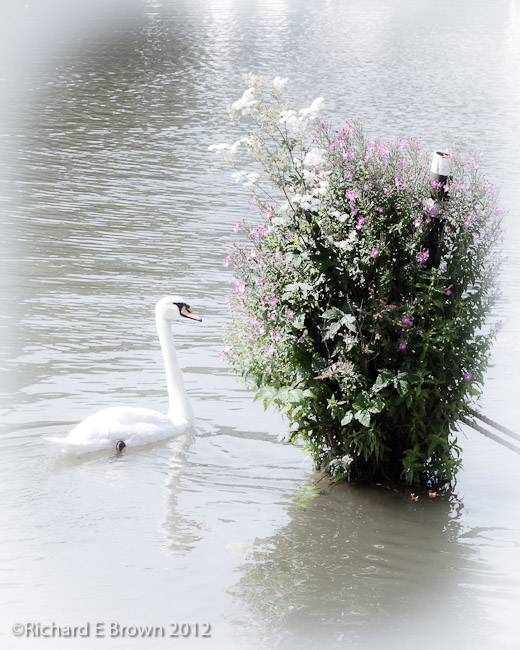
In the picture above of the swan, it was a simple noon shot grabbed while I went for a walk one lunchtime, while I thought at the time it had some merit, I was not entirely sure how I would post process it.
Sat at the comfort of my desk in front of my computer my artistic vision soon knew what I had to do. While I enjoy darkroom work, I have to admit, using a computer is easier, faster and produces more repeatable results.
After a few hours I could produce a shot like the one above using a traditional dark room, producing a second or third would be difficult to reproduce. Using a computer its just a simple matter of pressing the print button.
We love cooking and baking. The upside of being on a diet is that one can get much more inventive with food. Our latest experiments have been with Wraps, and also a lovely Orange & Fennel Salad.
One thing we have been doing is cutting down on Bread and Pasta.
This has meant no home made bread. I think though I am going to change track slightly. When we want bread we have been helping ourselves to a few slices of cheap supermarket bread.
Instead of occasional bread of poor quality, I am going to make two high quality home loafs every couple of weeks to give me my bread baking fix.
This is going to one of many post dated blog entries generally about film photography. One of the delights and difficulties about shooting film is the time between taking the image to actually viewing the image. This can be a benefit and also a negative.
Well all the pieces had finally arrived and I was ready to take my first large format photograph with my very own large format camera. I had done some large format photography before but it was either on a course or hired equipment, this would be my first shot with my own large format camera.
It was never going to be brilliant but the purpose of these first shots was to test my ability to load and unload the dark slides, meter correctly and use the camera correctly. There is a lot to go wrong in large format film photography.
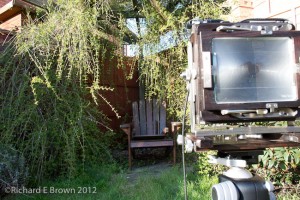
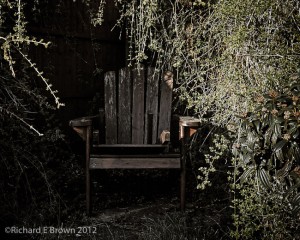
This evening in the late afternoon spring sunshine, the old wooden chair we had made many years ago was looking particularly photogenic.
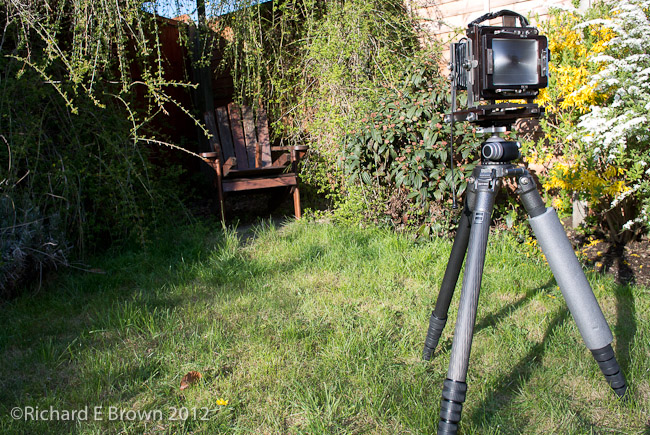
I have looked at this chair nearly every day for over ten years but today I had the perfect excuse to photograph it, my finished large format Ebony 4 x 5 inch Large Format Camera.
Last year I had managed to pick up a mint Large Format Nikkor 150mm f/5.6 standard lens, and since then I have been added accessaries such as dark slides, a lupe and a dark cloth. The Camera a Ebony 45s, came on the 3rd April, a mint condition secondhand model from Robert White. The reason I have not used it for the last two days was because I had no way to attach it to the tripod. Another order to Robert White and an Arca plate for the camera was quickly dispatched to me.
I was torn between black and white, and colour but in the end, the warmth of the late evening sunlight decided; it would be colour.
So with fresh inspiration flowing through my veins I checked out what film I currently had loaded; as I was wanting to capture a ‘real’ image and only film would do, it was also the perfect excuse to try out the Ebony for Real.
Luckily I had a few sheets of 5 x 4 Fuji Provia RDP100 already loaded, as I had gone out that morning to test the camera out but had not used it (don’t ask: but it involved a trip to a Windmill and a heavy tripod left in the garage at home, thus no film used).
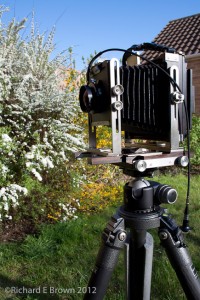
I whipped out the Ebony 5 x 4 and mounted it on my largest heaviest tripod, a Gitzo Series 5. For some reason I had committed a cardinal sin, in that I had not put away the large format camera without first centring all the movements, unfortunately I did not notice while setting up.
With the camera mounted firmly on the tripod, I chose my large format Nikkor 150mm f/5.6; a nice standard lens on 5 x 4 inch format. I opened up the lens aperture to its widest setting, and set the shutter open to enable me to focus.
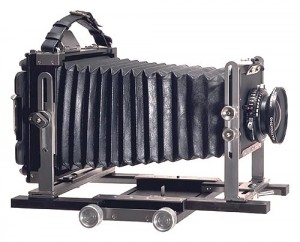
Focusing a large format camera is a very different experience to that of a modern SLR. The lens has an aperture setting but also has a shutter built into it. The Camera is just a light tight box. The lens clips onto the front of the camera, and to focus you need to lock the shutter open to allow the light through to shine on the glass panel focusing screen attached to the back of the camera. The front of the camera holding the lens and the back of the camera holding the glass focusing screen are linked by a soft leather bellows. To actually focus you move the lens on the front and the back glass screen forwards and backwards until the image projected onto the back glass screen is in focus.
The large format camera like my medium format camera lacks a built in meter, so out came the handheld meter. Metering the scene I selected a 1/2 second exposure at f/34. The Nikkor lens allows apertures to be set in 1/3 stops, which is useful, as the copal shutter in the lens only works in whole stops.
With the meter reading taken I closed the lens ready to take the photograph. Setting the shutter speed and aperture I then cocked the shutter and tripped the shutter. The shutter tripped so I knew the lens and shutter were closed and it was safe to load the film. If I had been unable to trip the shutter then the shutter was still open and it would not have been safe to load the film.
I slid in a fresh dark slide behind the glass focusing screen and removed the dark slide’s cover. To make life easier for myself I have a cable release attached to all my large format lens so thats one last task to have to worry about, I then tripped the shutter. Reversing the dark slide’s cover and sliding it back in, I then removed the dark slide. The covers are colour coded, a white tag means unexposed and a black tag means exposed.
So here it is my first photograph taken with my new Ebony, i’ll admit it it will not win any awards as the contrast was too high for the film, but one that I am pleased with.
My first Large Format Photograph, Ebony 45s, Fuji Provia 100, 1/2 second exposure at f/34
Not a brilliant shot, but it did what was necessary, it tested everything out and it all worked. More importantly my metering was right, always a worry for film cameras with no meters built in.
I’ll be going out again later in the month shooting some more large format film. These shots like the one above will not be artistic master pieces, in fact I expect them to be quite poor, but it will enable me to master my technique, then I can move on to more creative shots.
For personal use my Desktop / Laptop of choice is an Apple Mac, while at the Day Job I mainly use Windows with a bit of Solaris, Red Hat and CentOS thrown in for good measure.
Most OS’s are pretty good now a days and the old complaints about Windows and the Blue Screen of Death are mainly in the past; but by personal choice, when I can, I use Mac OS X as my day to day OS and Ubuntu as my home server.
The Mac OS while not perfect does an excellent job of not getting in the way while you work. One of the few iritations is with the Mac UK Keyboard. While they manage to fit the £, $, €, the # seems to be missing.
When editing code which needs the # or when tweeting, beginner Mac users find themselves searching the net, to try and find out where the lost # key has gone. A situation I myself have to confess to.
Odd as it seems its not missing, a quick press of Option-3 (or Alt-3) brings up the hash (#) symbol. They just seemed to have not printed it on the keyboard. Odd and strange, but then many Windows users would say that about Apple Mac’s!
PS, I was watching an American video tutorial recently on bash shell scripting and he refered to the hash (#) as the pound symbol, is this another area where English UK and English USA differs?
Colour and Color, two nations separated by a common language.
With another wedding coming up this weekend it was time to check over the camera gear and especially check the flash and camera batteries.
One of my batteries was completely dead. I gave it a charge and it dropped 3% in no time at all. Now I always have fully charged batteries before going into a shoot and a couple of fully charged spares, just in case.
With something as important as a Wedding it was a trip to the local London Camera Exchange to get a replacement. As always I got a good deal with a very nice discount.
I have a mix of batteries some official manufacturer versions and some third party batteries. So far its always been the third party batteries that have failed, I am starting to think its false economy buying third party batteries; they certainly do not seem to be lasting as well.