Tethered Shooting and iPad’s with Lightroom Mobile

Tethered Shooting in Lightroom

Tethered shooting is not something I do a lot, but it does have its uses, especially in controlled environments where you have time constraints to get the shot.

It used to be you had to have dedicated software for tethering, normally from your camera manufacture, and it not work well with your normal workflow.

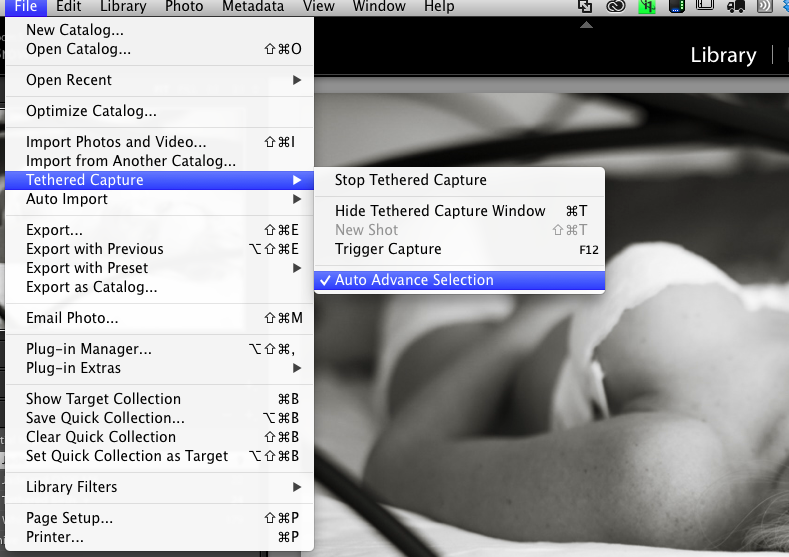
Now tethering is built into Lightroom.  Its simple to start, just plug in your camera, launch Lightroom and go to File, Tethered Capture, and Start Tethered Capture.

You can define a preset so your photographs get the processing you want, so in this example they got my Black & White treatment plus a tone and import sharpening for people.
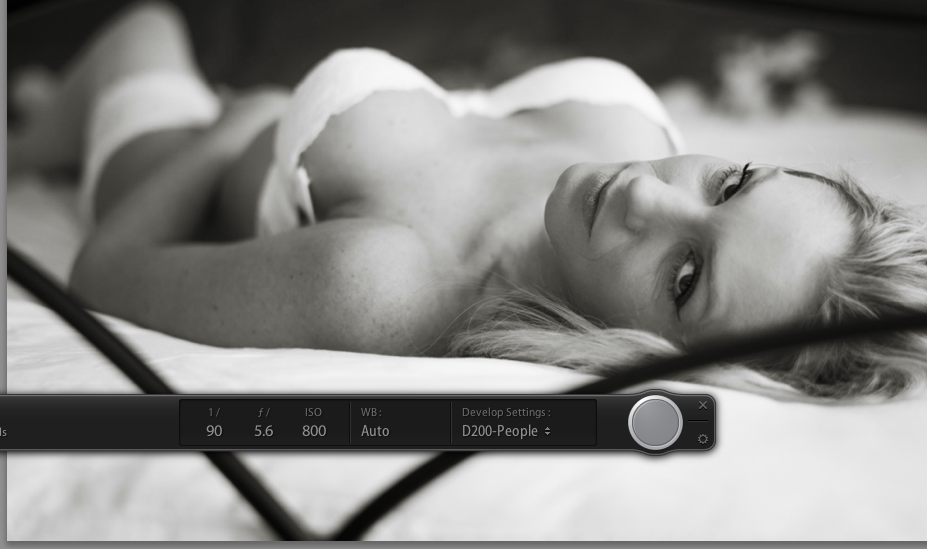
Tethered Controls

You can see you camera settings on the tether tool bar and even trigger you camera.  I have in the past setup the camera to photograph birds in the garden and remote controlled my laptop to trigger the capture using the iPad.

Now a days this is old hat with most modern cameras with live view coming with an iPhone or iPad app.

The reason I had another go this weekend was that I wanted to test something I had read about on Scott Kelby’s website, using tethered shooting with Lightroom Mobile on the iPad.

The laptop and camera were setup for tethering and I also setup a target collection that was synchronised with Lightroom Mobile.

The theory was I could shoot and the photographs would appear on the iPad in Lightroom mobile which could be assessed by the client.  In practice it was close but no cigar!  The photos came into Lightroom but there was no way that I could find to get them into the collection that was being synchronised with Lightroom mobile, I had to stop shooting briefly, highlight the shots I wanted to be on the iPad and press the ‘B’ key to add them manually to the collection. Only then would they get synchronised across.

The process was also required the internet, as the photographs once on the laptop where then synchronised to Adobe’s cloud then back down to the iPad.  A local network option would be nice.
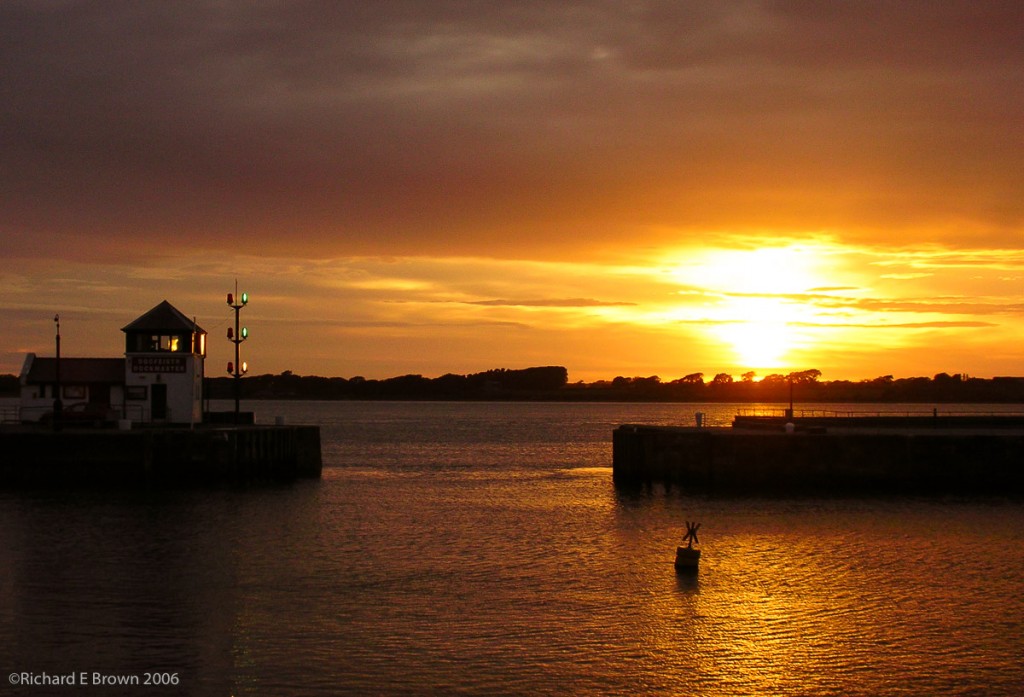
Summer Light

Golden Light, Nikon S3 6mp compact, jpeg

I often wax lyrical about golden light and the great light we have in the Autumn and Spring, well last night while I was in Yoga class the light through the window was just fantastic.

The day had been glorious and hot but there was thunderstorms forecast for the evening.

While I was in Yoga class and unable to take advantage the sky turned black while the hills turned a bright golden hue that was truly dramatic.

I bet as I am free tomorrow the light will not be like this.

Travelling with a camera

LargeFormat-Chair-2

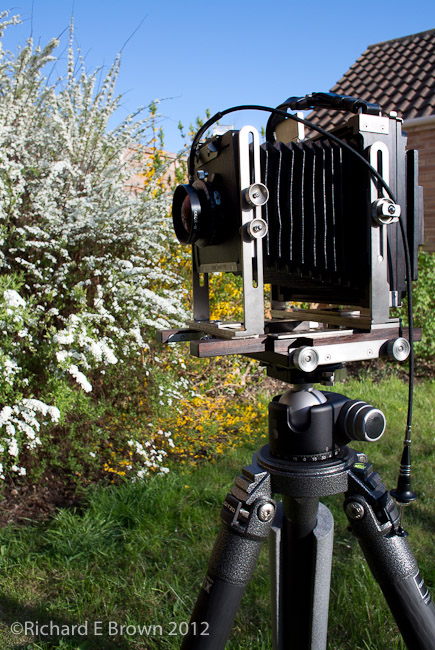
Having a number of cameras ranging from Large Format, Medium Format, and smaller, I try to choose the camera that is right for the purpose.  Travelling with a camera does place limits on what you can do.  When travelling by car there is no real limit and on some of my trips to remote Scottish Islands I have taken the Large Format for landscape, the SLR and long lens for wildlife, then my Leica M as a carry everywhere camera.

We often go on holiday on the motorcycle and so on these occasions little cameras like the Nikon Series One the V1 are all we carry.

Quite often its the weight and size of the camera that drives what we carry.

Backing up your Lightroom Catalogue to the Cloud

Automator

I was reading Terry White’s Tech blog and his five tips for Lightroom users; one of his tips which was new to me, was keeping your Adobe Lightroom Catalogue in your Dropbox folder (or linked to Creative Cloud – or any of the other Internet storage solutions).

The idea of keeping my Lightroom catalogue in my Dropbox is a little scary to me, but I have been keeping a copy of my Lightroom catalogue, when I remember to update it.  Then I thought how about automating the copy to my dropbox folder.

Windows now has great tools like robocopy for intelligent syncing, copying and mirroring. For us Apple Mac users its even easier as with the OS being UNIX we have a whole toolbox of tools we can use.

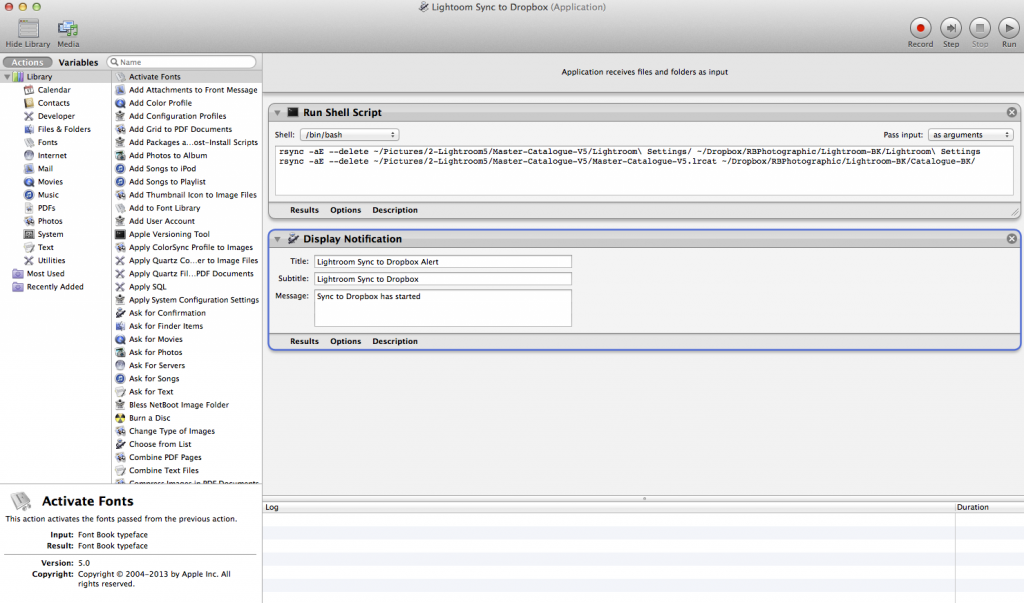
I decided to use the tool rsync to mirror my Lightroom settings and catalogue to my Dropbox but then how should I automate it.  Well the easiest way is by using Automator.

automator

First I selected a Run Shell Script action, and added my Rsync lines.  I then added another action to display a notification.

Notification

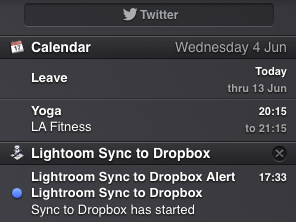
That way I get a notification when the copy has completed and the Dropbox sync starts.  I set the script to run on login so periodically I now get a backup automatically to the internet.

Waddington Air Show 2014

Battle of Britian Flight

This weekend was the Waddington Air show.  Its been many years since I have been, there always seems something else that I need to do, but luckily the last three places U have lived have been near the major flight paths so this has enabled me to grab the odd shot from home.

On Saturday the Battle of Britain Memorial Flight flew over, so on Sunday I made sure I was ready with my Nikon D200 and 70-200mm telephoto zoom.

The weather was somewhat overcast but I managed to get a shot of them.

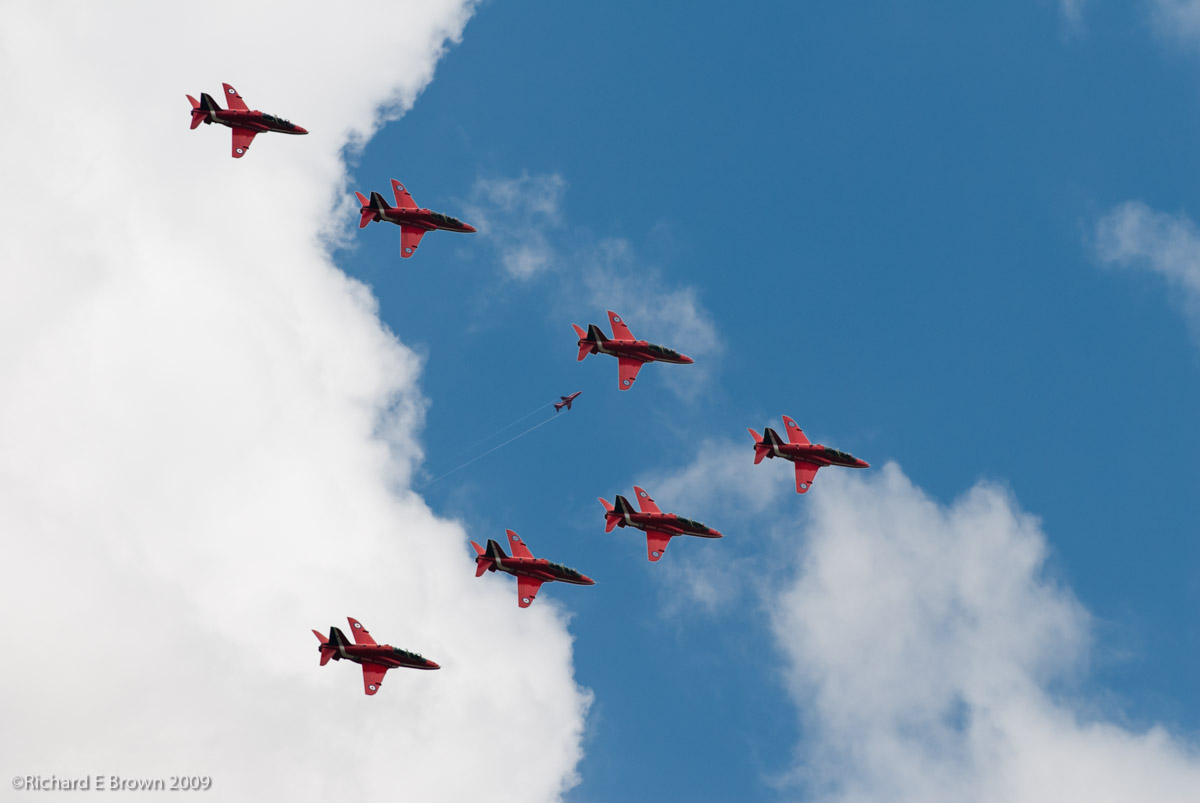
Waddington Air ShowAs always the show ends with a display from the Red Arrows, this is a shot from back in 2009, its a bit of a cheats shot as it is actually a composite.  Once again the weather was not good, so I pasted the Red Arrows onto a background with better weather and once of them in the distance.


Tour de Yorkshire (France) – or back on the bicycle again

Well the Tour de France has come to the UK again, and this looks like the best tour yet for us.  Cycling was mainly for kids when the tour first came to the UK 40 years ago back in 1974.  A very few strange people cycled for holidays and some people commuted to work but the car was taking over.

Over the last ten years cycling has become incredibly popular in the UK and as a sport its something we are now world leaders in.

So where are we going with this.  Well it may come to a surprise to people who have known me for that last twenty years but once I was a very keen cyclist and would happily jump on my bicycle and do a seventy mile ride round some of Lincolnshire.

When I moved into my flat my bicycle was stored in my mothers shed for ten years and then at the old house it sat at the back of the garage for another ten years.

Me and Caroline did get the bikes out once and do a ten mile ride but with the garage full of motorcycles and garden tools it was always to much bother to get them out.

Now we have moved into the new bungalow with lots of room the bicycles are stored in the garage but are easy to get to, so with that in mind during the two week holiday we recently had, one of our tasks was to get them roadworthy again.

A bit of a strip down, degrease, grease then oil with a full clean, new lights, locks and mudguards, I have been gradually turing my old racer into more a sensible commuter.

We first did a quick five mile cycle round to the next village and back, just to make sure the bicycles were working well, then with a few tweaks, such as new mountain bike SPD peddles and cycling shoes we have been off.

Gradually working up to a gentle twenty five miles a week, usually with a quick ride on Monday and Friday nights, today with the Tour de France as our inspiration we went a little further a field and explored some of the further villages as well as the local Whisby Nature Park.

With my iPhone mount on the handlebars I had a cycling computer app installed tracking our route and facts about the journey.

A gentle afternoon cycling turned into a twenty one mile trip so with the fourteen miles done on Monday exploring a local disused railway line that has been turned into a cycle path leading to the city we managed thirty five miles this week.

Nothing compared to what the Tour de France guys did today and will do every day but a great start to getting us both fit again.

Adobe Lightroom Shortcuts

Last week I mentioned common keyboard shortcuts that I use with Adobe Photoshop, today I thought I would share some of the common keyboard shortcuts I use with Adobe Lightroom.

Open Catalogue…Command-Shift-O (for Command use Ctrl for Windows users)

Grid View…G

Loupe View…E

Compare…C

Survey…N

Show/Hide Toolbar…T

Show/Hide Side bars…Tab

Full Screen Preview…F (note this is new for Lightroom and caught me out)

Next Screen Mode…Shift-F (in older versions this was F)

Add to Quick Collection…B

Group into Stack…Command-G

Flag…P

UnFlag…U

Reject…X

Star Rating…1 or 2,3,4,5

Develop Mode…D

White Balance…W

Open Garden’s

Many of our local villages have open gardens events.

With our current garden, it is well designed and well established from all the hardwork of the previous owners but we are starting to put are own stamp on it.

The great thing about open garden events is you can borrow ideas and many of the owners are always keen to offer advice.

gardens-2 gardens-3 gardens

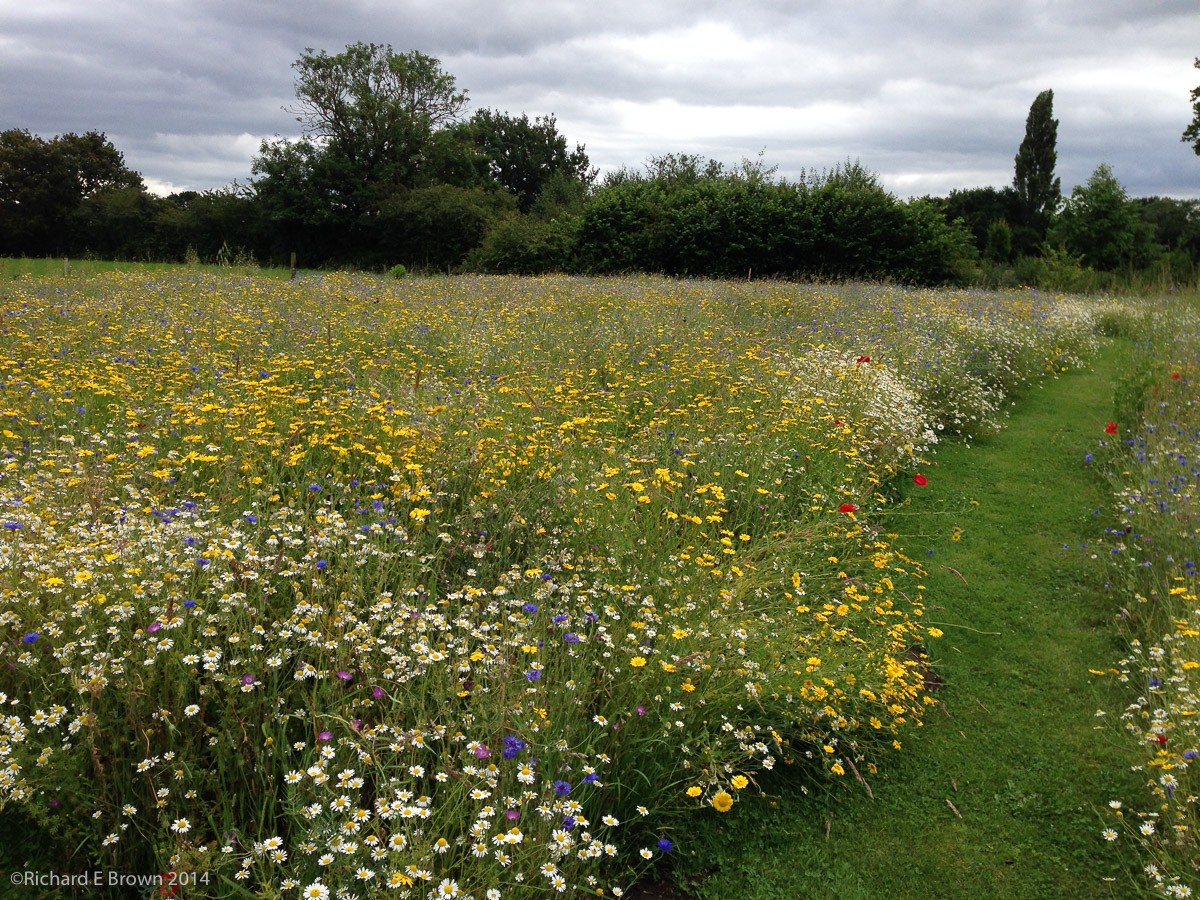
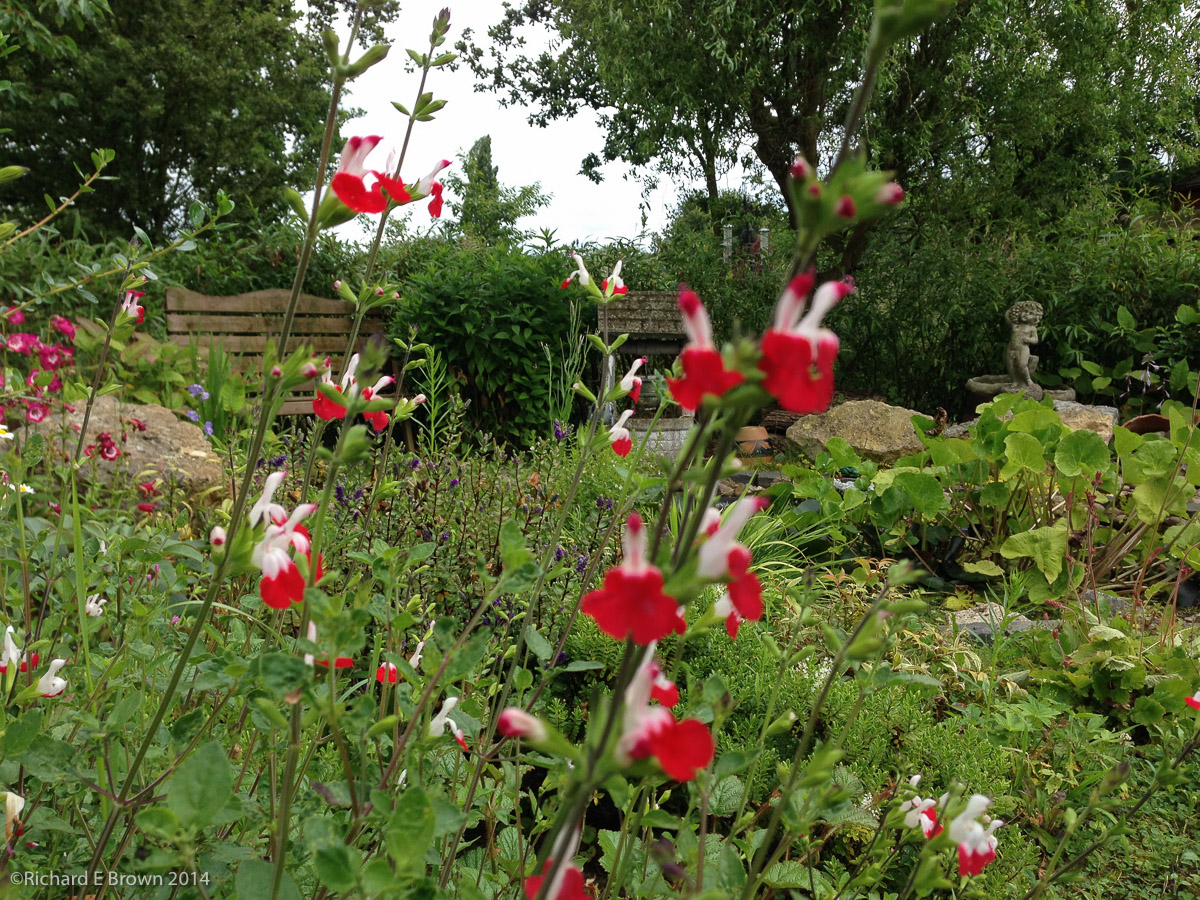
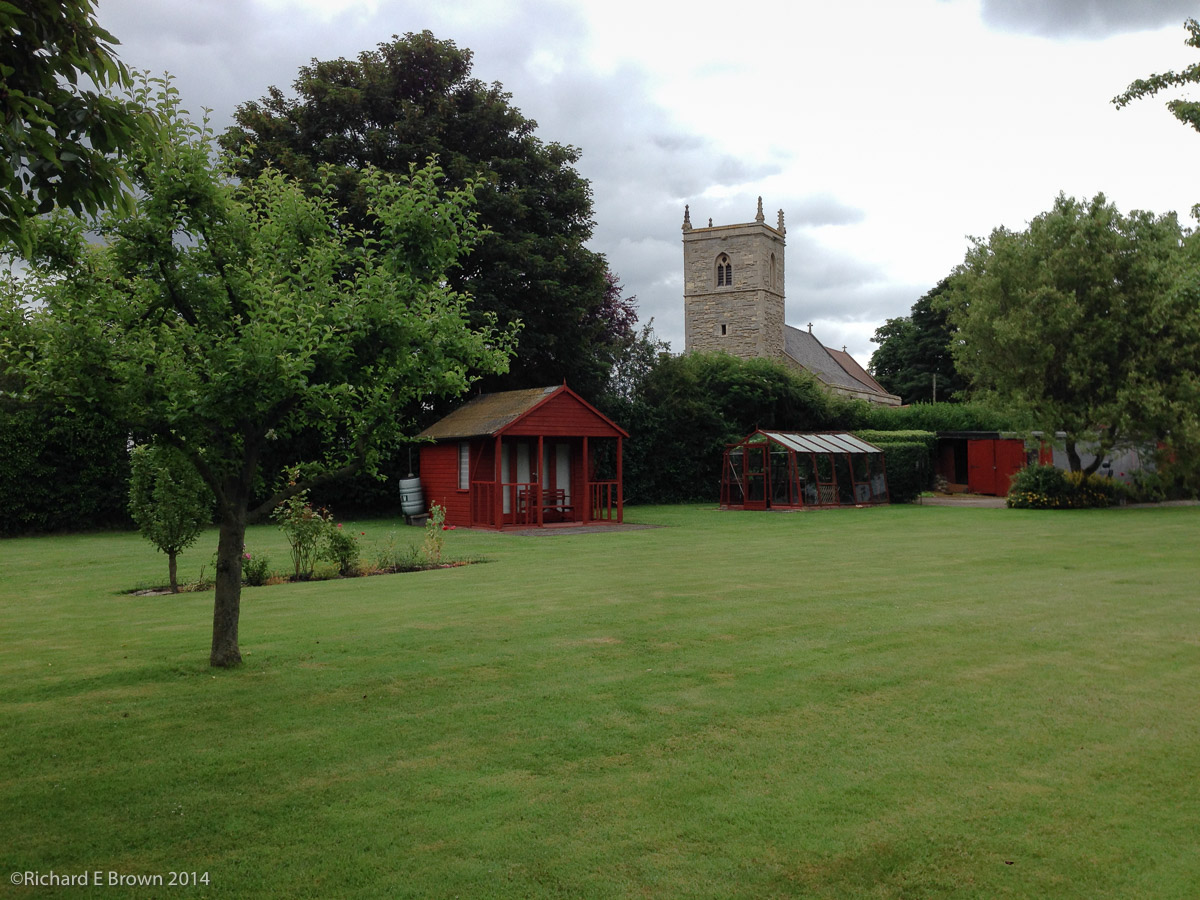
The local villages around here had a wide variety of gardens from more traditional lawns, wild areas, roomed gardens and even one had a wild meadow at the bottom.

After our walk round we finished off with tea and cake at the church.


So why did Adobe install another copy of Photoshop on my Laptop

With the recent Adobe updates, I find I now have three copies of Photoshop on my laptop, which with its limited disk space, is an issue. You think you would get option to replace or keep both in case you have lots of plugins.

With Adobe CC we were promised regular updates instead of the traditional release cycle of eighteen to twenty four months, instead we seem to have had this big new version dumped on our machines.

A lot bloggers are commenting on this, some of the best comments I saw was from Scott Kelby on his blog.  It turns out we have had a lot of updates but there has not been much of a song and a dance about them.

Lightroom – So what did we get in Lightroom V5?

Heres the gist straight from Adobe’s release notes:

Release Notes

New Camera Support in Lightroom 5.5

  • Canon PowerShot G1 X Mark II
  • Fujifilm FinePix S1
  • Nikon 1 J4
  • Nikon 1 S2
  • Nikon 1 V3
  • Olympus OM-D E-M10
  • Panasonic DMC-GH4
  • Pentax 645Z
  • Samsung NX3000
  • Sony DSC-RX100 III
  • Sony A7S (ILCE-7S)
  • Sony Alpha SLT-A77 II (ILCA-77M2)

New Lens Profile Support in Lightroom 5.5

Mount Name
Canon   Sigma 50m F1.4 DG HSM A014
Canon   Sigma 18-200mm F3.5-6.3 DC MACRO OS HSM C014
Canon   Tamron 16-300mm F3.5-6.3 Dill VC PZD MACRO B0163
Fujifilm   Fujifilm Tele Conversion Lens TCL-X100
Nikon   Nikon 1 NIKKOR VR 10-30mm f3.5-5.6 PD-ZOOM
Nikon   Nikon AF-S DX NIKKOR 18-300mm f/3.5-6.3G ED VR
Nikon   Sigma 50mm F1.4 DG HSM A014
Nikon   Sigma 18-200 F3.5-6.3 DC MACRO OS HSM C014
Nikon   Tamron 16-300mm F3.5-6.3 Dill VC PZD MACRO B016N
Nikon   Tamron SP 150-600mm F5-6.3 Di VC USD A011N
Pentax   Sigma 30mm F.14 DC HSM A013
Sigma   Sigma 50mm F1.4 DG HSM A014
Sigma   Sigma 18-200mm F3.5-6.3 DC MACRO OS HSM C014
Sony Alpha   Sigma 30mm F1.4 DC HSM A013
Sony Alpha   Sony Alpha 28-75mm F2.8 SAM

Bugs Corrected in Lightroom5.5

  • Improved responsiveness in Develop module while Lightroom mobile sync is occurring.
  • Custom Develop module default settings were not syncing correctly to Lightroom mobile.
  • Initial rendition in Develop would sometimes appear posterized.
  • Undo function failed and applied a preset instead.
  • Scaling looked inaccurate when scaling to 200% in Windows.
  • Manual slideshows sometimes did not advance to the next slide as expected.
  • Aspect ratio changed when modifying the crop rectangle and when rotating the crop
  • Image flips between portrait and landscape after switching orientation while shooting tethered with Leica S cameras.
  • Fixed issue with Fujifilm X-T1 raw images appearing too bright at high ISO settings when using Dynamic Range 200% and 400%. Unfortunately, this fix may affect the appearance of existing images captured with this combination of settings. It is recommended that you (1) purge the Camera Raw cache via the Preferences dialog, and (2) review images shot at ISO settings higher than 1600 for unexpected brightness changes.
  • Fixed image quality issue (noisy result) when applying spot healing to floating-point (HDR) images.
  • Fixed issue with reading lossless compressed Nikon raw files (NEF files) from the camera models listed below. Previously, some images could be read but would appear as random noise, whereas attempting to open others would result in an error dialog. You will need to purge your Camera Raw cache via the Preferences dialog.
    • Nikon D1
    • Nikon D1H
    • Nikon D1X
    • Nikon D2H
    • Nikon D2Hs
    • Nikon D2X
    • Nikon D2Xs
    • Nikon D100
    • Nikon D200