Spring has really Sprung – Chickens in the Garden

chickens


Spring really seems to be bursting ahead.  Our plants are growing well, we have a number of nests in the garden and the chickens are now enjoying being let out to roam in the later week day evenings now that the nights are getting lighter.

The chickens are moulting at the moment and are definitely not looking at there best but they like being let out while we are there to stand guard.

So far we have been lucky with no escapes and sampling of the veg plot.

Film Friday – Simple Nude Form Study

Nude Girl's Back This week I have been going through some of my very early work, this film shot was taken in 1995 I believe with a Canon A1.  So twenty years old.  I have certainly learnt a lot since then, and also forgotten a lot.

Soon i’ll have my own studio ready (getting ready to put the new floor down at the moment), and I think i’ll be going back to simple studies like this, working simply with a single light and getting back to the basics.

Sometimes keeping it simple is all that is required.

Software that needs CD Drives

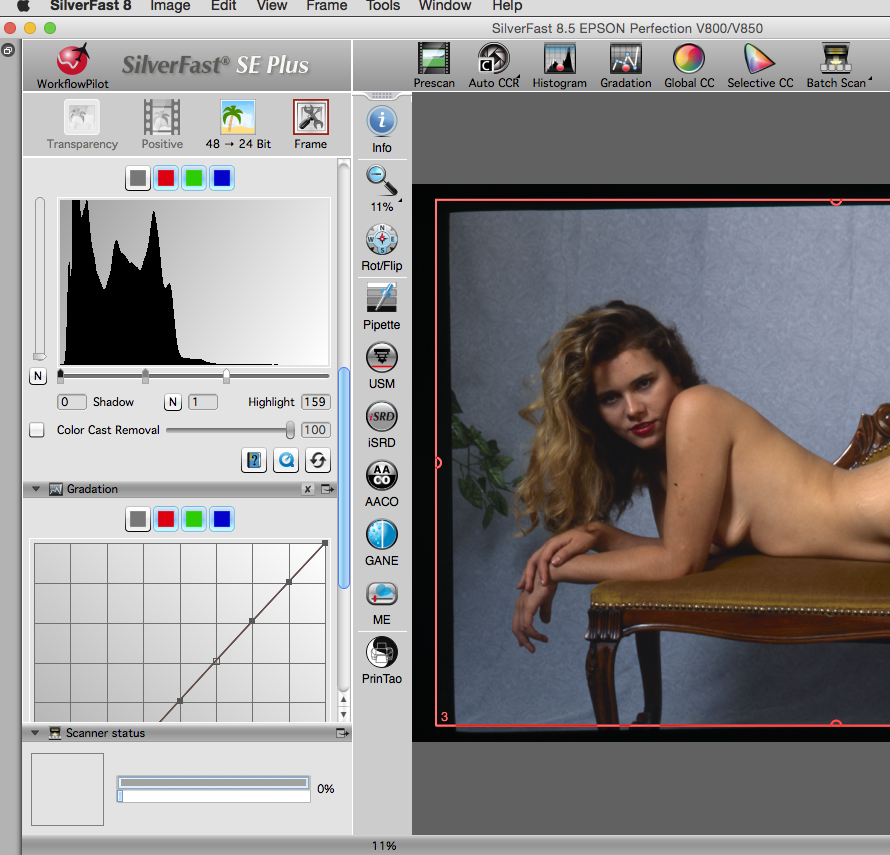
SilverFastOne of the things I was pleased to see about my new scanner was that it included a copy of Silverfast Scanning software.

As usual I downloaded and installed the Epson drivers then downloaded the Silverfast software and installed it.  It was at this point I hit a problem.

When I entered the license key it would not accept it.  You had to have installed from the CD.  So what if you have a very modern computer.  My Mac is seven years old and has a CD drive, but my wife has a modern Mac with no drive.  My work laptop is a new Lenovo machine which like a lot of current machines also has no CD drive.

Well Epson did include a note with a URL to go to if you have a machine with no CD drive, unfortunately the URL did not work.  After a little digging I found that if I registered the serial code listed on the CD of the Silverfast software I could then request a CD less upgrade code.  This I did which then meant I could register the software and start using it.

In this day and age where people are moving away from physical media they really need to make this easier.

Instructions and software

Over the last few year computer and computer accessory companies have been getting better. Clearer instructions and simpler more straight forward software. 

Epson printers have for many years been excellent products but with poor instructions. Of late and certainly with my Epson 3880 they were much better but it seems the scanner department still have some way to come. 

Lots of bits of paper but no real single simple setup guide. 

I was very pleased to see as well as the Epson software a copy of Silverfast and iOne profile targets. 

As is usual for me I ignored CD’s and downloaded the latest versions from the web. This led to other issues which I’ll detail later in the week. 

Epson V850 Pro has arrived

it seems a long time since the Photography Show at the NEC in Birmingham. While there I got a great deal on the new Epson V850 Pro Scanner.

While reviewers have had the scanner in their hands since the end of last year it’s been impossible to get in store.

I was warned that it was likely to be the 1st June before I would get mine. Well this Monday direct from the importers it arrived.

I’ll spare you the in boxing video but it’s now installed and setup in my office which was a bit more of a challenge then I expected, but I’ll go into that tomorrow.

iCloud Login Prompts

After rebooting my Mac recently I have been getting an iCloud login prompt pop up. It would not accept my credentials so I just had to cancel it. 

All the iCloud functionality still worked. Eventually I got fed up with it and had a quick search on the net to see if any one else had the issue and if there was a fix. 

Well it turns out quite a number of people had the issue but the fix was very simple. Just go into your iCloud settings, logout then login back in. Problem solved. 

Lightroom Smart Collections

Collections in Lightroom are very useful ways of collating photographs together, I have various studio shoots, Black & White collections and family holidays all as various collections.

One of the very useful options is Smart Collections.  You can define a rule, e.g. a studio shoot on a set date and have all flagged photographs automatically appear in a Smart Collection.

I was using this the other day to help me sort a studio shoot and wanted to potentially fine tune the sorting the following day if I had a few spare moments.  I knew I would not have my laptop with me but I would have my iPad, so I looked for the sync option.  Imagine my surprise when it was not there.

It turns out you cannot sync smart collections only standard collections, so I had to create another collection and copy the contents of my smart collection over to the standard collection to get them to sync across to the iPad using Lightroom Mobile.

The problem now is that tomorrow night when I flag up some more photographs to make final selections from, while they will automatically appear in my Smart Collection they will not appear in the sync’ed collection.

Come on Adobe, you have added some great new features in Lightroom CC, please add the ability to sync Smart Collections.

Sharpness and getting the shot

Last week I quoted Henri Cartier-Bresson who said that “Sharpness is a bourgeois concept”.

Well this past week I have been practicing my street photography and zone focusing.  Basically pre-focusing manually and then taking the shot as soon as the scene develops.

This can be for me a very hit and miss affair, but I am getting better.

Coffee TimeWhile in my local coffee shop I snapped a quick shot of the barista who was making my coffee.  Despite me reading recently about always being prepared, I had not increased my ISO enough and still had the lens set to f/8, so my shutter speed was close to 1 second, rather then the 1/60 second upwards I prefer to get a sharp image, still you can see what was going on and its not an unpleasant image despite nothing being in focus due to very severe camera shake.

So maybe Henri Cartier-Bresson was right?


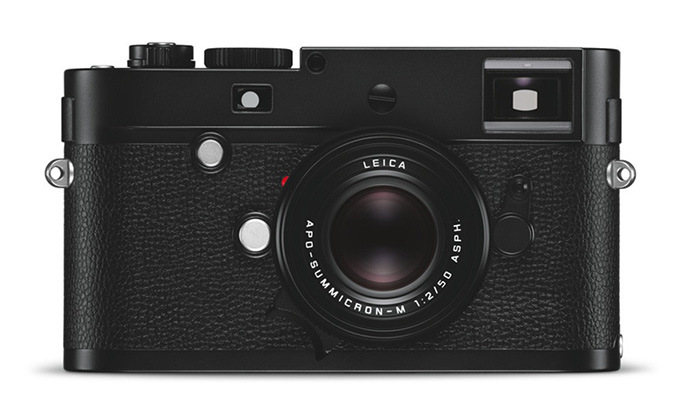
The Leica Monochrom – Leica M Type 246

m240If you don’t get Black & White or Rangefinders move along now.

Leica’s do cause debate and a Black & White only camera even more.

So yesterday Lecia announced the replacement to the old Lecia Monochrom. The old camera was based on the M9 the new on the CMOS M 240 P.

Output from the new camera and we have only seen images from prototypes is very like the old but better high ISO performance and the old one was no slouch.

What may get people to upgrade is the better electronics. The M9 series gave great image quality but is was the feel and noise of the shutter and the low resolution LCD screen that let it down.

The colour M 240 does fantastic Black & White and with the ability to use the colour channels in your preferred editing software you can adjust the tones as you like.

For hardcore Black & White users, getting rid of the Bayer filter and the noise and artefacts it can produce gives more of a film feel. It does make tonal adjustment more difficult and the use of red, orange, blue and green filters where appropriate is required.

For most of us a colour camera is likely the better choice.

Of course the Lecia Monochrom is not the only Black & White camera. There is now a Black & White medium format back available.

I hope Leica continue to make the old Monochrom as an introductory model like they did with the old M9  which became the ME.

It looks like Black & White is here to stay whether taken with digital colour, digital Black & White or film.

Reviews at http://www.slack.co.uk/2015/Elliott.html