Camera Raw Updates Adobe Camera RAW 8.5 RC

The version of Adobe Camera RAW is 8.4, that is also what is in the current Adobe Lightroom V5.4.

The release candidate for Camera RAW 8.5 has bean announced and one thing that did catch my eye was a comment about the Fuji X-T1.

Fixed issue with Fujifilm X-T1 raw images appearing too bright at high ISO settings when using Dynamic Range 200% and 400%. Unfortunately, this fix may affect the appearance of existing images captured with this combination of settings. It is recommended that you (1) purge the Camera Raw cache via the Camera Raw Preferences dialog, and (2) review images shot at ISO settings higher than 1600 for unexpected brightness changes.

So when it’s released watch out if you have any images shot at high ISO and are using the Dynamic Range Options.

Model Studio Day

I have a couple of days free in the first two weeks of June so if your a model and want to work with me please drop me an email and we can see if we can work something out.

Studio Complex Lighting Setup

TFP/TFCD at home or a local studio.  Looking forward to hearing from you, check out contact page on my other website to get hold of me.

Picking a Photo of the Month

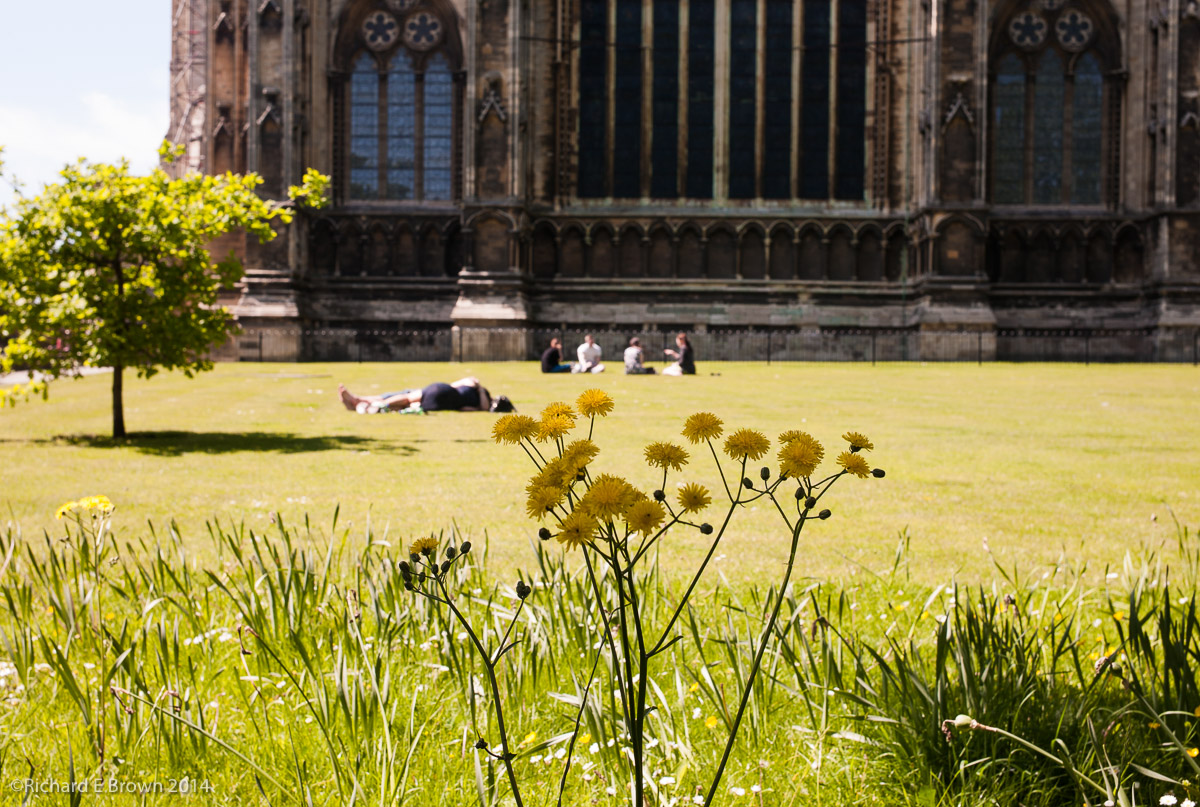
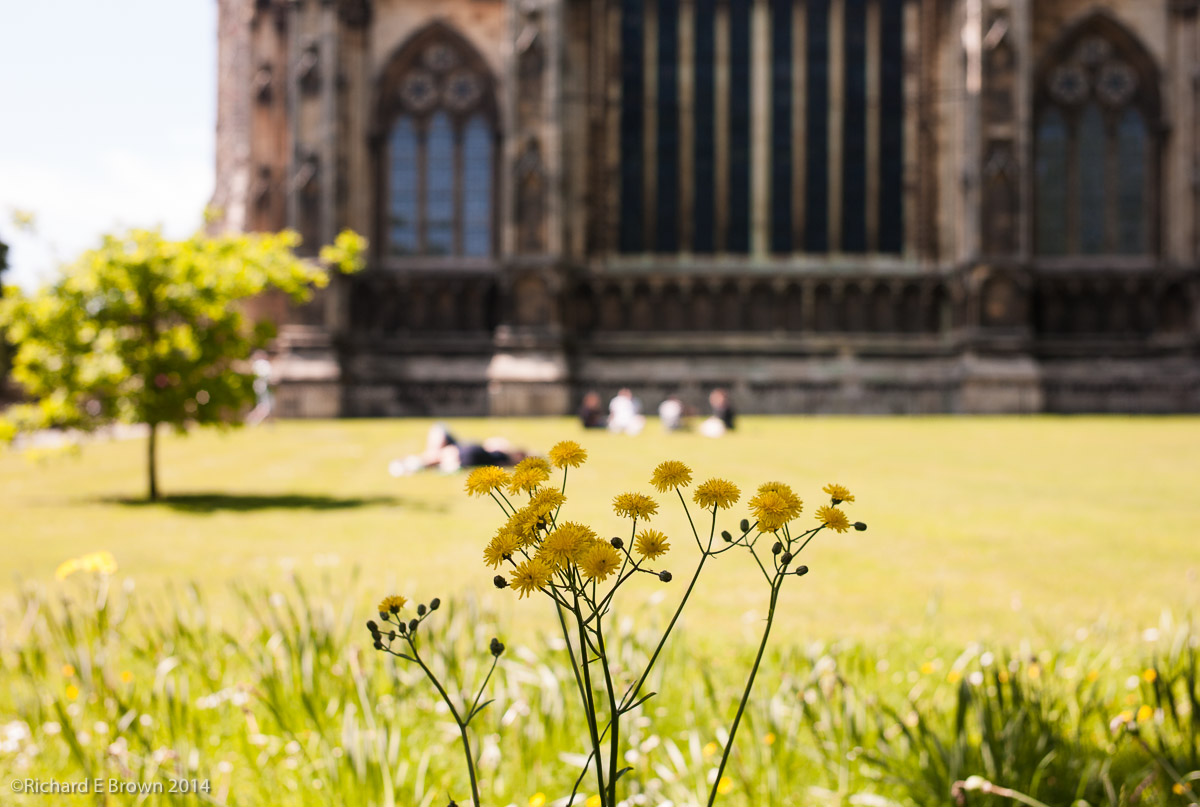
enjoying the sunenjoying the sun-2This months picture of the month is from another set I took around Lincoln Cathedral.  There were four images which I though were good candidates; two where very much like previous Photo of the Month’s so I dismissed those which left me with these two.

The top shot was taken at f/8 while the bottom at f/4.  I was after bringing the attention to the flowers so defocusing the background but still giving the view the chance to see what the background was.


Sensor/Film Size and Perspective

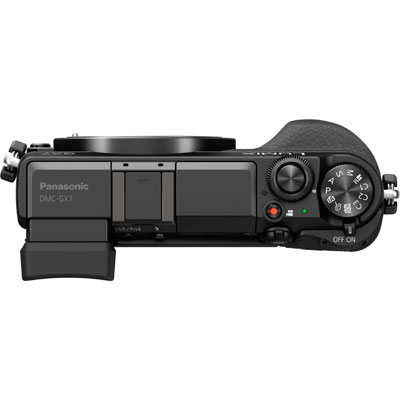
Panasonic GX-7Most people are aware changing the format; eg MicroFourThirds, 35mm full frame, 5 x 4 large format etc, changes the field of view. So a 25mm lens on a MicroFourThirds camera has the same field as a 50mm on 35mm and approximately 150mm on 5 x 4.

What fewer people realise is the impact on aperture and ISO.

Recently Chris posted a video that covered this area quite well.

One thing I never see mentioned is the impact on perspective.

So does the rule about field of view also apply to perspective?

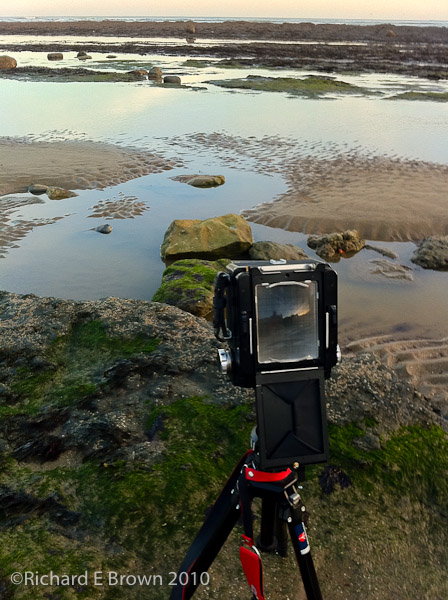
Large Format CameraPeople are advised when shooting a head and shoulders portrait to use a focal length of 85mm (35mm full frame), as this gives a pleasing perspective. It flattens perspective giving a more pleasing look to the face.

But what if you are a MicroFourThirds user. Does a 40mm lens give a similar perspective affect as that of a 85mm on full frame?

Well, we know the field of view is close to the same so let’s try a thought experiment.

Stand about 10 metres from someone and stare at their face; now do the same at 1 metre and finally 0.1 metre.  The closer you get the more the perspective changes and their nose gets bigger and bigger, its the same as if you use a wide angle lens and shoot them from a distance with a very high resolution camera, zoom right in and the perspective is quite flattened.  Walk close and take the same picture and the features become more pronounced.

They say the 85mm lens makes the nicest portraits on 35mm and that is because it forces you to stand far enough away to make the perspective pleasing.

The perspective is a result of the camera to subject distance and not the lens.

Leica Monchrom M230 Announced

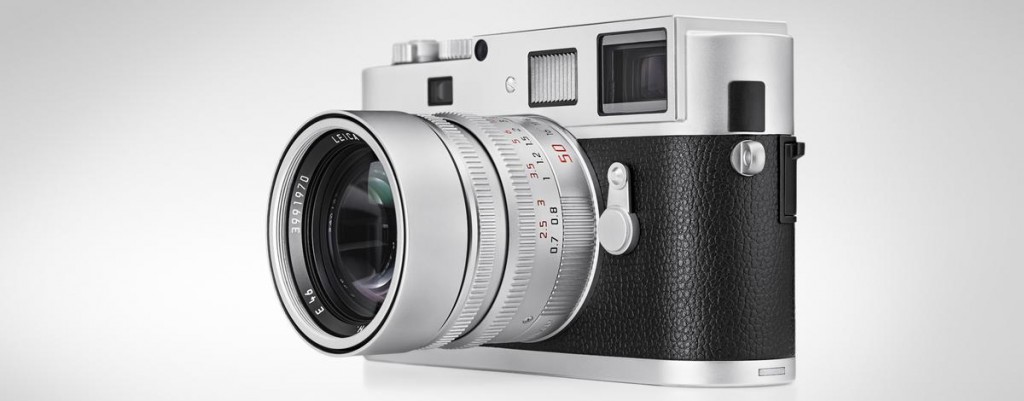
Well the rumours were wrong, it turns out the new Monochrom M230 is in fact just a chrome version of the current black M9 CCD Based Monochrom M.

Never mind still a stunning camera and still in a league of its own.

Lightroom Key wording Part2

So you want to start key wording but the thought of sitting down and creating your own list fills you with dread, what can you do.

Well there are projects on the internet where people are building very extensive keyword lists.  The site lightroom-keyword-list-project.blogspot.co.uk is a good place to start.

If your into bird photography they check out the bird list.

This is just a very small sample:

bird 2.0-ioc-REPLACE OLD BIRD LIST
[ACCIPITRIFORMES]
[Kites- Hawks and Eagles]
{Accipitridae}
African Cuckoo-Hawk
{Aviceda cuculoides}
African Fish Eagle
{Haliaeetus vocifer}
African Goshawk
{Accipiter tachiro}
African Harrier-Hawk
{Polyboroides typus}

As you can see very extensive.

Lightroom Keyword Bird List

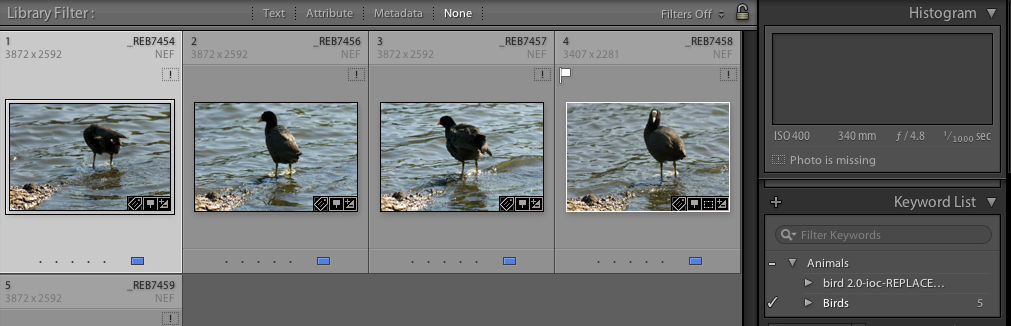
So here is a collection of Coot photographs.  I have imported the Birds list then picked it up and dropped it under the Animals keyword folder.  As you can see the original birds keyword folder is still there and these pictures of Coots are still referencing the old keywords and note the new so unfortunately you will need to go through and re-keyword but there are ways to speed things up.

Bird Keywords

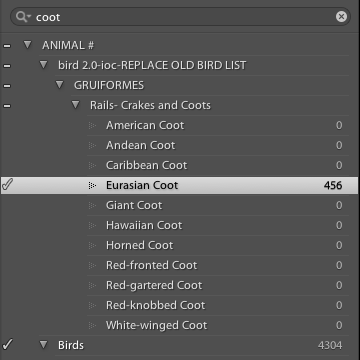
In this example we are changing my Coot keyword to the new keyword Eurasian Coot in the new bird keyword list I have downloaded and imported.

So first in the keyword list find your old keyword and click on the arrow that appears on the far right of the keyword, this will filter your photographs by that keyword, you can then select all your coot photographs with a simple Command-A (Ctrl-A in Windows), then find the new keyword, click on the far right of it so the tick appears like in the above screen print.  All your filtered keywords now have the old and the new keyword.  You can then safely delete the old keyword.

Rumour of a new Leica Monochrom Type 230

M-MONOCHROM-SILVER-WINDOW-TEASER_teaser

This week to celebrate Leica’s 100 year of making 35mm camera’s a number of special additions were announced as well as a Leica M Monochrom in silver.

But someone with did spot something far more exciting which was published on the leicarumors.com website.  The current Monochrom is based on the M9 while its likely that the new Monochrom is based on the current Leica M240.

It will be interesting to see what the ISO performance will be like. The current Monochrome while CCD based has fantastic high ISO with the Bayer array removed. I expect the CMOS M 240 sensor to be used, so without its Bayer filter I expect off the charts ISO performance.

Lightroom Key wording Part1

Adobe Lightroom is now a many faceted program, as well as a RAW processor one of its strengths is that of a DAM package, that is Digital Asset Management.

Adding metadata and keywords greatly easies your life as a photographer and being able to find a photo months and years later for a client is important.

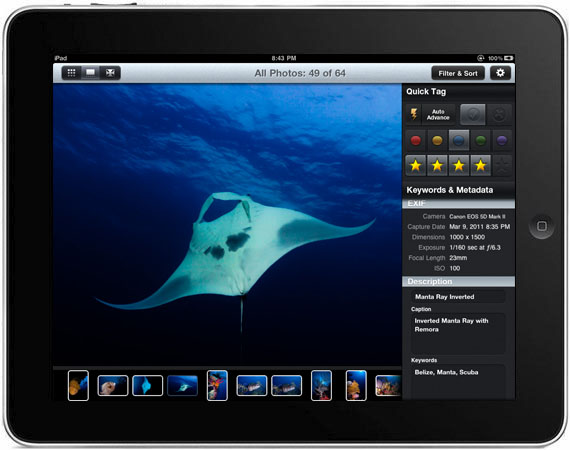
Every so often I find I have gotten behind in my metadata and key wording, so I create a collection, sync it over to PhotoSmith on the iPad then in my breaks I keyword and add the metadata that may be missing. Then when back at home with my master Lightroom catalogue its a quick sync to update.

One of the issues I have is that my Keywords often get into a mess and you need to have a cull and sort out.  Creating a keyword list ideally needs planning.
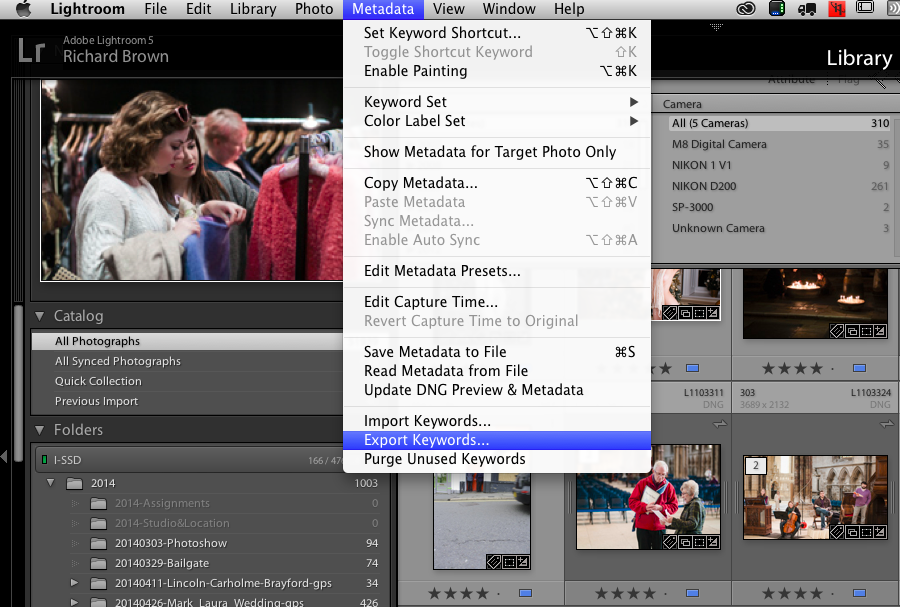
Lightroom Keyword Export

First of all its a good idea to see what you already have, you can export your keywords using the Metadata menu and selecting Export Keywords.

I had been adding keywords to the birds round Brayford Pool but my bird list had really gotten out of shape.

Here is an extract:

[Birds]
<InsertTAB>Black-headed Gull
<InsertTAB>Canadian Geese
<InsertTAB>Carrion Crow
<InsertTAB>Chicken
<InsertTAB>Common Tern
<InsertTAB>Cormorant
<InsertTAB>[Duck]
<InsertTAB>Eider Duck
<InsertTAB>Flamingos

As you can see while there is an attempt at structure as you can see by the folder keyword Duck, but then I went and put Eider Duck at the same level and not under it.  It really needs a major sort out.

Now you can buy keyword lists some of which are very good and if your a stock photographer shooting a lot of stock images each month they buying a keyword list can make a lot of sense, for a few hundred pounds you get a very comprehensive keyword list.

You can make your own just open a text editor and create your keywords.

Master folder keys have the keywords in square brackets, and you nest them using tabs.  The best way to start is to export your current list then open it up in a text editor, it will soon make sense.

eg:
[People]
<InsertTAB>[Models]
<InsertTAB><InsertTAB>[Male]
<InsertTAB><InsertTAB><InsertTAB>John
<InsertTAB><InsertTAB><InsertTAB>Peter
<InsertTAB><InsertTAB>[Female]
<InsertTAB><InsertTAB><InsertTAB>Jane
<InsertTAB><InsertTAB><InsertTAB><InsertTAB>{Art Nude}
<InsertTAB><InsertTAB><InsertTAB>Kate
<InsertTAB><InsertTAB><InsertTAB><InsertTAB>{Fashion}

The key to remember is that it is a TAB delimited format so above where you see <InsertTAB> you want an actual TAB but make sure you use an editor that supports plain text correctly so if your a Windows user not Notepad, try the Notepad+ available for download or even a spreadsheet.  Many spreadsheets allow you to export files TAB delimited.

To make keywords more meaningful you can also add notes to keywords.  Create yourself a new keyword structure then I suggest you create a new blank catalogue rather then break you master.

With the test catalogue import your new list and see how it looks.  Have a good play before you amend you master catalogue.  Unfortunately once you have imported it merges with your current keywords so you will then have a major organisational task ahead but at least you have the keyword structure you want.


A Walk around Brayford Pool

Earlier this month I took a walk round Brayford Pool area and took a few snaps with my Leica M4.  This being a film camera and there still being 2/3rd’s of a roll left I have not yet developed and scanned the film.

One thing I did notice was a Mute Swan had built a nest on one of the paths in the area.   Chris has since taken a lot more photographs of the nest which you can see here.

Mallard Ducks

Since updating my Nikon V1 last week I have been giving it a good test again and this week I took it with the 30-100mm (70-300mm 35mm field of view) lens for a walk round the Brayford Pool area of Lincoln.

Mute SwanI had three main purposes in mind.  The first was to see if I could find the nest again belonging to the Mute Swan who had in mine and Chris’s opinion taken too big a risk nesting so close to a path.  I was pleased to see it was still there, though a pigeon was taking a bit of a risk; he kept approaching the nest and stealing bits of material for I presume his own nest.

The second reason as previously mentioned was to give the Nikon Series One V1 a good test following the firmware update.

Lastly I wanted to do some workflow testing.  I was interested in ‘In The Field Triage’ and how Lightroom Mobile would fit into this.

I had previously tested the import options of Lightroom mobile and it does not have RAW support so you either have to use a real RAW developer like PhotoRAW on the iPad or use an application like PhotoSmith to get your pictures onto the iPad, then you can start work then sync over to Lightroom.  Once its back in Lightroom then Lightroom Mobile can do its stuff.

http://blog.photosmithapp.com/

I’ll blog more about how I got on and used Lightroom Mobile and PhotoSmith and PhotoRaw in another post.