Tethered Shooting and iPad’s with Lightroom Mobile

Tethered Shooting in Lightroom

Tethered shooting is not something I do a lot, but it does have its uses, especially in controlled environments where you have time constraints to get the shot.

It used to be you had to have dedicated software for tethering, normally from your camera manufacture, and it not work well with your normal workflow.

Now tethering is built into Lightroom.  Its simple to start, just plug in your camera, launch Lightroom and go to File, Tethered Capture, and Start Tethered Capture.

You can define a preset so your photographs get the processing you want, so in this example they got my Black & White treatment plus a tone and import sharpening for people.

Tethered Controls

You can see you camera settings on the tether tool bar and even trigger you camera.  I have in the past setup the camera to photograph birds in the garden and remote controlled my laptop to trigger the capture using the iPad.

Now a days this is old hat with most modern cameras with live view coming with an iPhone or iPad app.

The reason I had another go this weekend was that I wanted to test something I had read about on Scott Kelby’s website, using tethered shooting with Lightroom Mobile on the iPad.

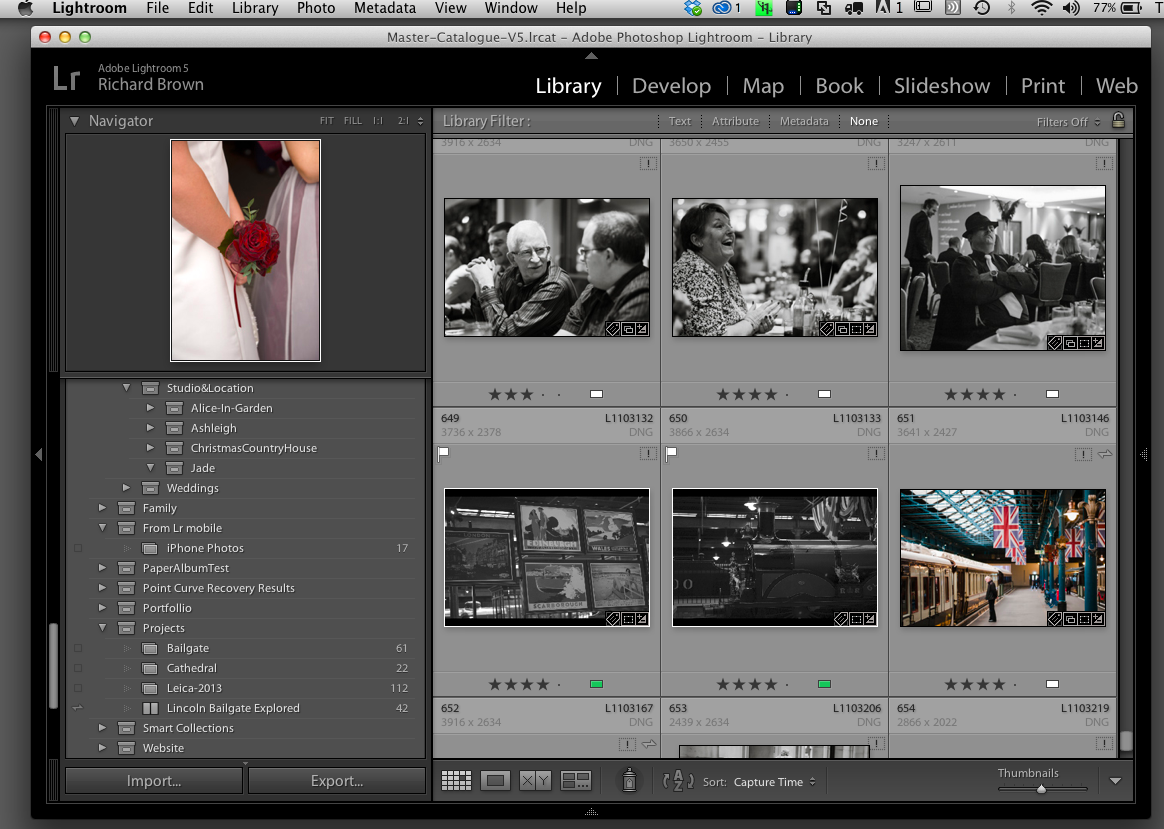
The laptop and camera were setup for tethering and I also setup a target collection that was synchronised with Lightroom Mobile.

The theory was I could shoot and the photographs would appear on the iPad in Lightroom mobile which could be assessed by the client.  In practice it was close but no cigar!  The photos came into Lightroom but there was no way that I could find to get them into the collection that was being synchronised with Lightroom mobile, I had to stop shooting briefly, highlight the shots I wanted to be on the iPad and press the ‘B’ key to add them manually to the collection. Only then would they get synchronised across.

The process was also required the internet, as the photographs once on the laptop where then synchronised to Adobe’s cloud then back down to the iPad.  A local network option would be nice.

Summer Light

Golden Light, Nikon S3 6mp compact, jpeg

I often wax lyrical about golden light and the great light we have in the Autumn and Spring, well last night while I was in Yoga class the light through the window was just fantastic.

The day had been glorious and hot but there was thunderstorms forecast for the evening.

While I was in Yoga class and unable to take advantage the sky turned black while the hills turned a bright golden hue that was truly dramatic.

I bet as I am free tomorrow the light will not be like this.

Travelling with a camera

LargeFormat-Chair-2

Having a number of cameras ranging from Large Format, Medium Format, and smaller, I try to choose the camera that is right for the purpose.  Travelling with a camera does place limits on what you can do.  When travelling by car there is no real limit and on some of my trips to remote Scottish Islands I have taken the Large Format for landscape, the SLR and long lens for wildlife, then my Leica M as a carry everywhere camera.

We often go on holiday on the motorcycle and so on these occasions little cameras like the Nikon Series One the V1 are all we carry.

Quite often its the weight and size of the camera that drives what we carry.

Firmware Support – Leica M Updates

Leica M8 and Fuji XPro1Another set of Leica M rangefinder firmware updates were released recently, as well as fixes there were tweaks allowing one to switch off the live view button and disable the movie button etc.

Leica have been listening to their customers and changing a number of things about the camera.  One good thing about Leica is they tend to also release update to there old cameras, in this respect they are like another well respected company, Fuji.

Continuing to support your older cameras does encourage one to buy that brand again.

Adobe Creative Cloud Expiring

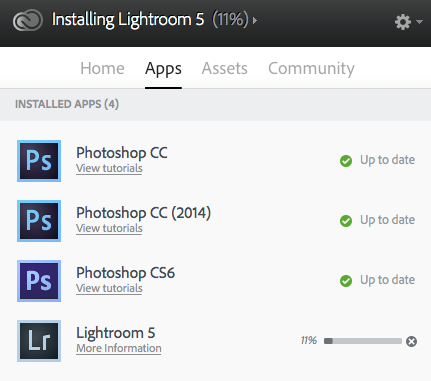
Photoshop Colour SettingsSince the last major update to Adobe Creative Cloud, when I launched Photoshop it warned me I only had a month left of use and could not contact the licensing server. It recommended I check my account details.

I logged into the Adobe website and checked my detail and everything looked fine, but each day I launched Photoshop I was faced with this message and a countdown telling me when Adobe Photoshop would shop working at the end of the month.

The fix turned out to be extremely easy. Log completely out if Creative Cloud then log back in. Now it works fine with no messages saying it’s about to run out.

Waddington Air Show 2014

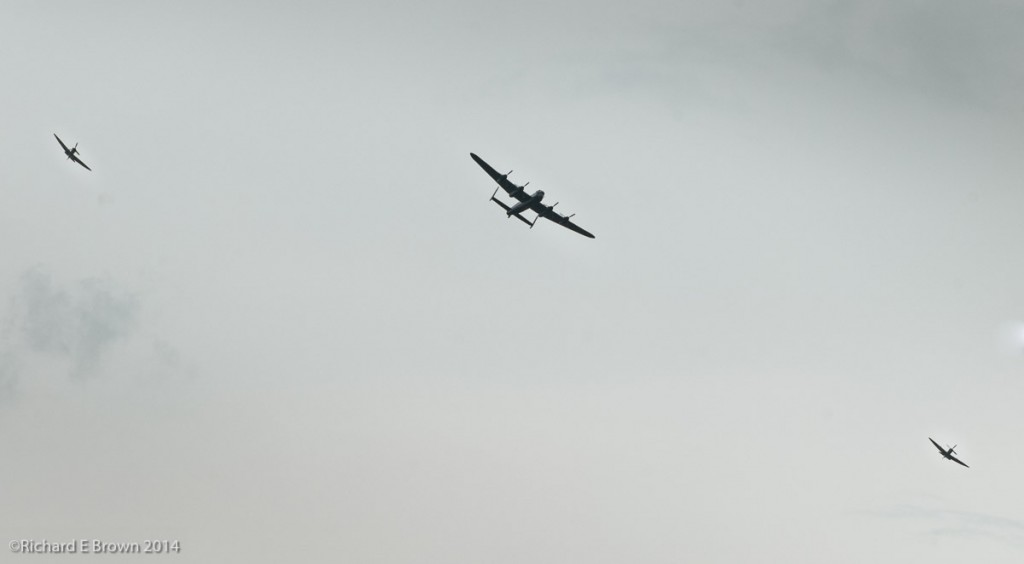
Battle of Britian Flight

This weekend was the Waddington Air show.  Its been many years since I have been, there always seems something else that I need to do, but luckily the last three places U have lived have been near the major flight paths so this has enabled me to grab the odd shot from home.

On Saturday the Battle of Britain Memorial Flight flew over, so on Sunday I made sure I was ready with my Nikon D200 and 70-200mm telephoto zoom.

The weather was somewhat overcast but I managed to get a shot of them.

Waddington Air ShowAs always the show ends with a display from the Red Arrows, this is a shot from back in 2009, its a bit of a cheats shot as it is actually a composite.  Once again the weather was not good, so I pasted the Red Arrows onto a background with better weather and once of them in the distance.


Adobe Lightroom Shortcuts

Last week I mentioned common keyboard shortcuts that I use with Adobe Photoshop, today I thought I would share some of the common keyboard shortcuts I use with Adobe Lightroom.

Open Catalogue…Command-Shift-O (for Command use Ctrl for Windows users)

Grid View…G

Loupe View…E

Compare…C

Survey…N

Show/Hide Toolbar…T

Show/Hide Side bars…Tab

Full Screen Preview…F (note this is new for Lightroom and caught me out)

Next Screen Mode…Shift-F (in older versions this was F)

Add to Quick Collection…B

Group into Stack…Command-G

Flag…P

UnFlag…U

Reject…X

Star Rating…1 or 2,3,4,5

Develop Mode…D

White Balance…W

Range Finder Lens Choice – why two of each

Leica M with EVF and R Series Adapter

The majority of Leica rangefinder users tend to only own two modern new lens due to the high price of Leica glass, but many of us have a collection of older classic lens to complement our gear choice.

When choosing rangefinder lens it is very popular today to go for the fastest glass one can afford.  My two fast glass lens are my Leica 50mm Summilux (f/1.4) and my Leica 35mm Summicron (f/2), both the fastest 50mm and 35mm lens I can afford.

Having such light strong lens to quote the term used by Thorsten Overgaard, allows you to use selective depth of field and the lens control light very well, you can often shoot direct into sunlight without risk of flare.

The problem with them is of course price as already mentioned and size, while small compared to modern SLR autofocus lens they are large for rangefinder lens and they often intrude into the viewfinder causing framing issues.

So today more and more photographers are choosing two lens at each focal length, e.g. a 35mm at f/1.4 or f/2 and a smaller cheaper version at say f/2.8 or slower.  These lens are small, allow all the viewfinder to be seen and of course are much cheaper.

Nikon’s D810 Announcement

I was thinking of blogging about the new D800/D800E replacement, the D810 but many other sites have done it far better reviews, but I did have a few thoughts about it.

See Thom Hogan site for a good review.

The big thing about this update is that they have dropped from two versions to one.  With the new D810 we get a none AA filtered D800E with the improvements we saw in the D4S.

With a sensor at 36 MP it’s going to be rare moiré shows up; in fact I hardly ever see it on my 10 MP non AA Leica M8 plus we now have tools in Adobe Lightroom and Photoshop to deal with this.

Will I be getting this?  Well maybe, though I might see if I can now pick up a late model D800 but either will have to wait until I have upgraded my computers. At 36 MP these cameras need computers with lots of horsepower and RAM to cope well and process your images speedily.  My late model 2008 MacBookPro is not really up to that.

Ideally I would still love a D800 body with the D4 sensor, a great blend of size, ergonomics and manageable RAW files, but Nikon seem to have forgotten the old D700 user base.

For those of you lamenting no increase in MP from 36, do remember the new 56 MP sensor is still not ready, maybe the D900 in a year or two will have this and computer and memory/harddisk manufactures will rejoice as we all upgrade our computers again.