Paper and Ink

Tecco BT270The issue most people have with printers is the cost of ink, its not cheap and if all you are doing is printing documents from a spreadsheet or word processor then cheap third party inks are an option.

What about the high end photo printers, well thats a little different; while we all like to complain about the cost of ink it is how the company make their money.  The printers for what they are and what they do are really quite cheap now.

The higher end printers are a lot cheaper to run, while a consumer inkjet may have cartridges that contain as little as 18 ml of ink the high end start around 80 ml and go up to about 3/4 of a litre, they are far cheaper to run but still not cheap.

The question to ask yourself is why did you spend all that money buying an expensive high quality printer?  You wanted high quality prints.  That means good ink, good paper and lets not forget a fully colour managed workflow.  Whether you create your own icc profiles for the paper or you download the profiles the better paper manufactures have on there website.

The printer manufactures do spend millions developing their inks and papers and to get the best quality their ink is usually the best option.  There are a small number of specialist ink providers that offer specialist inks such as quad tone Black & White etc but these are very specialist items, in general your better off with the manufactures inks for best quality.

With paper I recommend going with companies that offer good support, you want documentation detailing what driver settings to use or what custom settings, e.g. what resolution to set, whether it supports Bidrectional printing or if its a slower to dry paper then single direction, colour density, paper tray and if you can get the information the platen gap, but that may have to be a guess.  If your using thick paper then you may need to change if from Standard to Wide.  The Epson 3880 has usefully named settings of Narrow, Standard, Wide, Wider and Widest!  Start with Standard and if you get a head strike which I did when testing the Tecco BP210 Buttenpapier, try Wide.

Epson Printer Installation

Epson Driver


Printer installation has not always been the easiest of things, though over the last few years things have gotten a lot better.

The first tip I can give you is generally bin the CD that comes with it (well file anyway).  Generally the drivers and utilities that come on the disk are a) out of date and b) will install a lot of rubbish on your system that you do not need.

Go to the printer manufactures website and get the latest business version of the driver.  Often the business version is just the driver ready to be installed on a print server which is what large companies with IT departments want.  The consumer version of the driver tends to come bundled with lots of ‘useful’ items such as a new customised search menu for Internet Explorer and other such handy goodies.

I downloaded the quick start guide from Epson’s website just in case the information now was a little different to what came with the printer.

Some printers have to be plugged into your computer before you switch them on, others have to complete a setup and you must not have your computer connected.  I know some insist the driver is installed before you connect to your computer and others that you connect your computer first and then when it asks for the driver you install it.  Its always worth reading the manual first.

With the Epson the first task after unpacking and removing what feels like hundreds of pieces of small blue tape from the printer is to power it up unconnected to your computer or network.

It will then automatically pop open the ink draw allowing you to install the ink.

The printer then takes about 5 to 10 minutes to prime, while it was doing this I installed the printer driver from Epson’s website.

With the printer primed and the driver installed it was time to connect.  This printer will be used by several computers so instead of connected it to my office computer I plugged it direct into my office switch via the ethernet port in the back of the printer.  This printer is not wireless but then if you need that you can always plug it into a Apple Airport like device.  It was then just a matter of going into Settings, Printer & Scanners, and clicking on the add printer button, the Epson appeared in the list, so I so selected it and that was it, a very painless installation.

Epson Ink statusMy first trial packs of paper have now arrived and I have started to test.  The results are excellent and I must say the Soft Proofing in Lightroom V5 with the paper profiles installed is very accurate at predicting the final results but i’ll discuss that in a latter blog post.


Epson Stylus Pro 3880

A printer that can print 17 inches wide has been on my wants list for quite a while now.  Having the flexibilty to print up to 17 inches wide in a desktop printer is very useful.  Unfortunately while the Epson Stylus Pro 3800 series is the smallest foot print wide format printer its still not exactly small so its been on the waiting list until we bought the new house.

Epson 3880


If you check on Epson’s UK website and also other online retailers the price differs by as much as £300.  At the Photography show last Monday I visited Epson’s stand and had  a look at the Pro 3880 and the smaller R3000.

The R3000 is A3 the Pro 3880 A2+ and there is not a big difference in the physical size.  Running costs is also a consideration as is build quality.  For a consumer printer the R3000 is one of Epson’s better high end printers.  The build quality is very good and as good as the professional services models.  The running costs are another thing; while the R3000 has fairly large economical cartridges for a consumer inkjet printer at 28ml, the Epson 3800 series has 80ml cartridges for not much more.

Epson were not selling printers at the show but they did give me a card to take to one of their dealers who was at the show selling printers.

The show price was about as cheap as I had seen it on the internet, the difference being this was a well known supplier not an unknown company.

When you factor in the retail costs of the ink the printer only cost £370, but then who pays Epson retail costs for ink cartridges, I have seen them range from £30-£48 for the same Epson branded cartridge.

They did not have any of the printers at the show but were willing to sell me one at the very good show price and three days latter the postman delivered my shiny new Epson to me.

I have ordered a number of trial packs of paper from various companies including Epson and have selected a series of images that represent my style of work to test with.

I have also ordered a full set of new cartridges, with the first set needing about 20% of their capacity to prime the lines and print head and with the extensive testing I intend to do, I am not expecting the first set of ink to last long.

GAS – Gear Acquisition Syndrome

Visiting a Camera Show really gets your GAS going.  We all tell ourselves that its not the camera that takes the picture, that often a trip or training would be money better spent than more gear but new cameras are very difficult to resist.

Currently on my GAS list I have the following:

  • Hasselblad V Series Portrait Lens (150mm)
  • Hasselblad V Series Landscape Lens (40 or 50mm)
  • New Compact (currently top of the list Fuji X100s but the Ricoh GR is up there)
  • New SLR to replace my ageing D200’s (Second Hand D3 or D800)
  • New Wide Carriage Pigment Printer
  • Scanner for Medium and Large Format Film
  • Large Format 300mm Telephoto Lens
  • Jobo Temperature Controlled Development Tank

I was sure at the show there would be some offers and top of my list was the printer followed by the scanner, both purchases would end up saving me money.

I was fairly certain I would not find some of the more specialised items but I was also hopeful that there might be a cheap camera.

I stuck to my guns and got my top priority but I left feeling a little disappointed, I really wanted a shiny new camera and there was a fantastic offer on the Fuji X100s; its amazing how we justify our purchases.

Do you keep your GAS under control?

The Photography Show – NEC 2014

This weekend was the photography show.

Joe McNally


Most of the usual camera manufactures were there including Hasselblad but not Leica as well as the big lighting companies such as ProPhoto and Elinchrom.

I finally got the chance the tryout a Nikon Df, it is actually very good, the image quality with the DF sensor is fantastic its just a shame about the price.  How about putting a D4 sensor in a D800 body and focusing system, that I would buy in a heart beat if it came under £1999.

A lot people in the show were carrying their SLR’s but it was interesting to note that if it was not an SLR then it was likely to be a Fuji mirror less camera.

Many stands had some great show offers on and I did indulge myself and bought a new Epson A2+ printer, I was also tempted by the offers on the Fuji X100s but I managed to restrain myself.

The highlight of the show for me was a talk given by Joe McNally on the main stage.  I have been a great admirer of Joe’s work; he is great at using light and creating lighting effect from either small strobe or full studio flash gear.  It was great to finally meet him and he is a tremendous speaker. If you get the chance I urge to go and see him.

Street Smoking

I was reading an article the other day; someone went out with their Fuji X100s and got a great set of street photographs of people all using their phones.

No SmokingI grabbed my Nikon V1 with the 10mm lens yesterday and went out to try this as a challenge to myself.

Shooting street either means zone focusing or very fast autofocus.  The Nikon V1 is useless for zone focusing but has possibly the best autofocus of any mirror less camera (possibly the latest OMD and Fuji may match or just exceed it).

Smoking Doorway

I found myself missing a few shots due to the mode wheel slipping something that many cameras suffer from but I ended up taking a series of photographs of people smoking.  It was only a quick half hour walk in Lincoln but it was a fun little challenge.

What Lens

If I was to carry only one camera and one lens what lens would I want?

Leica Summicron 35mm

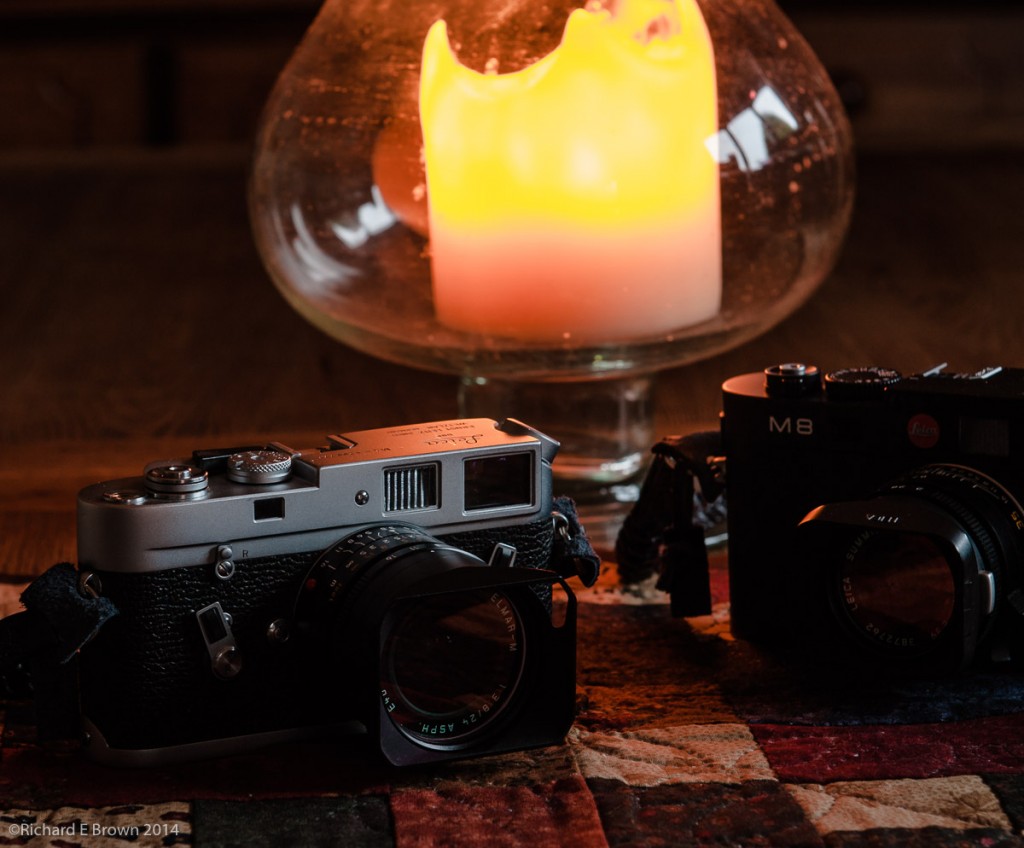
Its a question I have asked myself quite often recently.  I often go out with the Leica M4 or M8 over my shoulder with nothing else except for a spare battery in my pocket.  I usually find myself with the 35mm, which on the full frame M4 is the classic 35mm field of view, on the M8 its closer to the classic 50mm being a 47mm field of view.

If I am travelling light with the Nikon V1 I have the small pancake 10mm which equates to a 28mm field of view.

There is a lot to be said for going out with just a single camera and single focal length, its an excellent training exercise and makes you work harder for the composition rather then just standing still and zooming.

Currently my favourite is the 35mm, its not too wide to distort and works well as a good all round standard lens.  Looking at compacts I keep wanting a 35mm field of view but most of the good ones tend to be 28mm unless you get one with a zoom and then the zoom is often too slow.

What lens would you have if you could have only one?

Compromise and use a zoom? Or what focal length if a prime?

Fuji X-T1 Viewfinder – a quick test

I had the good fortune to be able to have a go with the new Fuji X-T1 yesterday thanks to Chris Bennett.

Fuji X-T1
Fuji X-T1

There is a lot of hype about this camera, but it was the viewfinder I was particularly interested in.  Some EVF’s are acceptable others less so.  The one in this camera is the best I have ever used, simple as that.  Its big and bright and unlike most did not drop frames when the light levels dropped.

I still prefer optical viewfinders but this is a technical tour de force of electronic viewfinders.  I was particularly impressed with its size, clarity and the split screen option to assist manual focusing.  Also simple things like the information rotating with the camera, simple but why has no other camera manufacture thought of this.

So what about the rest of the camera well its what the Nikon DF should have been, great manual controls which are very well thought out.  If I had any criticism it would be the D pad on the back, its slightly too small and the buttons are less then positive.

I look forward to seeing this kind of EVF in an up coming upgraded X100s this could be an ultimate compact camera or in an X Pro1, it would make a great spare body for us Leica users.

Optical Window Finders and the X Trans Sensor

Leica M8 and Fuji XPro1

If you are old fashioned like me then you will hate modern compacts.  Composing on the back screen is no way to use a camera, with the camera braced to your face and either an optical or EVF you can focus and compose better and use a slower shutter speed if necessary.

I have yet to use the Fuji X T1 but that promises to be the best EVF yet.  I still feel that an optical finder is the best and we are still two to three years away from an EVF that can match an optical finder.

So, if you want a decent camera with an optical finder what are your options.  Well surprisingly  you do not have many.  In the small sensor department there is the Canon G16 and G1X and of course the little Fuji X20.  These are good compacts but still small sensor compacts, what if you want better image quality.  Well there is the Leica M, the Leica Monochrom and the Leica ME, these cameras are £4k plus but are true range finders and full 35mm frame.  Focusing a range finder is not for everyone and takes skill and lots of regular practice.

Well the only other option is the Fuji X range with there DX X Trans sensors and there are only two models with optical viewfinders the fixed lens X100s and the Fuji X Pro1.

I loved the X100 idea when the prototype was announced but it had a few issues, these were fixed with the X100s but they also introduced a new issue; the X Trans Sensor.

Like the Leica’s and also cameras like the Nikon D800E, the Fuji’s have no antialias filter meaning stunning sharpness.  The problem has been the new sensor does not have a standard 4 x 4 Bayor array but a new Fuji designed 6 x 6 array.  This has taken RAW software developers a lot of time to sort out but it looks like it may finally be sorted.

If your interested about reading the issues with the new array check out the Chromasoft Blog.

Capture one and the soon to be released Adobe Lightroom v5.4 may have fixed these issues.

Fuji X100s


As I have talked about in my blog, I am still looking out for the perfect travel compact.  Something that can be carried without noticing and kept in my motorcycle tank bag.

The options I have looked at is keeping my current choice the Nikon V1, switching to the smaller Panasonic LF1 or Fuji X20, or a the Nikon Coolpix A or Ricoh GR.  Now the first two are small but have viewfinders, the second two have better image quality but no viewfinder.

Until now I have dismissed the larger Fuji’s due to the colour bleed issues with the X Trans Sensor but if its true and Adobe have fixed this then its another option for me.

While a Fuji X100s or the Fuji X Pro1 is about as big as my Leica M8, I would feel better about it getting chucked around in a motorcycle tank bag due to the lower cost.  The X Pro1 also has the option of acting as a second body for my Leica using Leica glass.  Something I have been researching with the Sony A7 and A7R, but the Fuji may be a better option due to the DX sensor and being less likely to suffer from colour drift in the corners.

So Fuji how about a fast 35mm f/2 or f/1.4 equivalent pancake lens with a real manual aperture ring for the X Pro1?