another quick look at the Retina MacBook Pro

Well after reading lots of reviews, trying one for myself in the local store, I have decided not to update my four year old MacBook Pro to the new model, but that does not mean we do not have one.

Caroline’s laptop, a late model 12″ PowerBook is now seven years old, so a few weeks ago I placed an order to get a replacement for her.

We were torn between the MacBook Airs and the bigger screen of the 15″ Retina models, in the end with us also having an iPad for light computer use (I am typing this on it right now), we decided on getting the 15″ Retina.

It arrived yesterday and we quickly migrated the PowerBook’s data, settings and apps over to it. This is one area that makes Macs a joy to use. Updating, backing up, restoring is all effortless and easy. Rumour has it that Windows 8 is going to be more like this, let’s hope so.

I have not had a chance to do much on it yet, as Caroline is yet to let it out of her hands but I’ll be getting Adobe Lightroom and Photoshop installed and really giving it a good test.

I have to say the screen is everything they say and everything looks fantastic on it, and everything is so quick, but then with 16 Gb of RAM and an SSD for storage it should be.

The only thing so far to catch us out is GateKeeper. This is a new feature in Mountain Lion (OS X 10.8), which prevents unsigned apps from running. For some reason it did not trust the BBC’s Desktop iPlayer.

Also some picture transitions using flash on a website were less smooth then I would expect, whether this is a coding issue on that site, Adobe Flash, or the graphics card struggling to keep up with things on the Retina display I do not know. It maybe that as we were just looking at a website the OS chose to,use the lower powered Intel Graphics instead of the high end discreet graphics card built in.

I have to admit I am dead jealous and I think I’ll be purchasing a SSD to put in my MacBook Pro to give it a new lease of life.

Hands on with the Sony RX100

On my lunch break last week I went into my local London Camera Exchange and got my hands on the new Sony RX100.

Small, compact but packing great ergonomics and a very large for a sensor for a compact camera, the same size as my Nikon V1 but with a resolution of 20MP.

As compacts go its possibly the best yet.  Would I have one, well as tempting as it is, I still love my viewfinders, add an optical viewfinder like a Fuji X100, or X10 or a great EVF like the the Sony NEX-7 or Nikon V1, but manage to keep its small size then its the perfect carry everywhere.

Thanks to LCE for letting me test out the camera, and also thanks to the staff for putting up with me taking photographs of them.

The camera shoots RAW as well as jpeg, I set the camera to both and popped a 8GB SD Card into it.  If you have ever used a Sony NEX then you will know what a mess they are.  Every time I have used a NEX-7 I have found the menu’s difficult to navigate.  The menu on the RX-100 is much clearer and easier to use.

With a simple mode dial on the top to choose auto, aperture or shutter priority, even manual if you wish, its easy to select the mode you want.  The function button on the back means you can quickly and easily change key functions such as ISO and like the Canon S100 compact a customisable ring round the lens can be set to be an aperture control, shutter or even ISO or exposure compensation control.

All together a great compact camera.  Until Adobe and the other major players update their RAW converts we will not know for sure about the image quality but with the size of the sensor, and from what I have seen from the jpegs it all looks good.

Whether it beats the Fuji X100 we will have to see, but for size, the fact it has a good zoom and the fast autofocus, its going to be close.  I suspect for image quality the Fuji X100 may have the edge, but for many the other advantages the Sony has over the Fuji will swing it, and for those that do want the better image quality Sony have the NEX-7 which rivals the Fuji X100 and the Fuji X-Pro 1; but of course they will not fit in your top pocket.

Sony RX100 another High Quality Compact

I remember posting recently at how photographers have never had it so good. Well here is another stunning little compact camera, the Sony RX100.

To me image quality is important and so is handling, for those of you in the market for a high quality compact that produces images well above that of its competitors then we have another large sensor’ed compact to consider the new Sony RX100, with a sensor the same size as the Nikon Series 1.

I have not had time to try one myself but the reviewers are saying its one of the best compacts yet.

Steve Huff’s Review.

Luminous Landscape Review.

The local London Camera Exchange has one in so I’ll be giving one a quick try today.

Sun after the Storm in Film

It was a warm sunny day but the weather forecast show potential for a storm.  After a good storm you can often get dramatic skies to make a photograph something special.

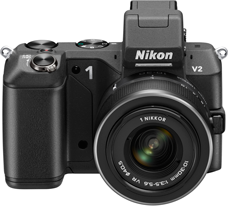
We loaded the car with the Large Format Camera Gear and I also took the little Nikon Series 1 V1.

As we travelled to Lincoln the sky went a fantastic black but this did not cover the sun, the light was wonderful.  As we arrived in Lincoln the sun was finally covered and the heavens opened.  No light and certainly no weather to be out with cameras.

We popped into the shops to get a few essential groceries hoping the rain would stop soon.

Leaving the shops we headed over to Lincoln’s West Common.  There is a field between the Common and the road which the farmer uses to grow hay.  I had noticed on my commute a few days early that the hay had been cut and bailed.  It was my hope that with the hay in the foreground and with the magnificent Lincoln Cathedral as a backdrop, it could make a great picture, if only the weather would co-operate.

The rain was slowing after we left the shops, so it was worth an attempt.  We drove to a lay-by and parked up, then sat and waited for the rain to finally stop.  After about ten minutes the rain did finally stop, so we grabbed the cameras and found a good spot.

The sun had still not come out and the sky was not as dramatic as I hoped but it still had potential, and the winds were driving the clouds quickly across the sky so conditions could change quickly.

First job was to snap a few reference shots with the Nikon V1, one of the better ones is at the top of this post, not too bad I thought.

After finding the best spot it was time to setup my heaviest tripod, a series 5 Gitzo with a Really Right Stuff BH-55 head.  Once in place and set level I my Ebony Large Format camera on top.

Large Format Photography is like no other.  Its great fun but certainly not quick.  Once fixed firmly on top of the tripod the first job for most LF cameras is to unfold them and fix on the lens.  Mine is a none folder and I tend to pack it with the standard lens on it, making it quicker to setup.  I removed the lens cap and also the rear lens cap.  Unlike 35mm you can have the lens fixed to the camera with the rear lens cap on.  Next was to remove the rear cover that protects the glass focusing screen.

Then using a Lupe I focused the camera.  Once focused with the help of a dark cloth I checked my composition.  It was good but I was not close enough, so I picked up the camera on the tripod and moved a few meters forward.  Levelling the camera off with the help of the spirit level built into the top of the camera and the tripod, I was ready to refocus and check my composition again.  This was much better, I still had a little too much foreground but that was easily fixed my raising the front lens a little.

With the camera focused on the distant Cathedral the hay bale was blurred and out of focus, even by stopping down to f/45 on my standard Nikon 150mm Large Format Lens, I would not get everything in focus.

It was time to employ the next trick in the Large Format Photographers arsenal, the Scheimpflug principle.  By tilting the front lens panel you can swing the plane of depth of field so that both foreground and background can be in focus.

Once everything was setup it was time to load the film.  Large format film is kept in dark slides, I had loaded up some Fuji Provia 100 earlier so was all set.  First job was to close the lens to prevent any light getting in and then to cock the shutter.  With that taken care of, the dark slide could be loaded into the camera.

Now time to meter the scene.  Like my Medium Format Camera, there is no light meter built into the camera so it was out with the handheld meter to determine the exposure.  1/15 of a second at f/32, was my chosen exposure, setting this on the lens (the lens has the shutter built into it), I was finally ready to go.  I slid out the dark slide cover, tripped the shutter with my camera release, then placed the cover back.

Now time to pack up.  A very enjoyable 30 minutes in order to take a photography in 1/15 of a second.

Dark Prints, profiling, screen, print and web

Many feel that monitor profiling, soft proofing etc are a bit of a dark art.

Isle of Syle

People run off prints and the colour differs, the prints look to dark. Its something I have struggled with in the past. If your using monitor profiles to keep your screen accurate, and print profiles, your prints can still be too dark and the colours not as you would expect.

It may be obvious to state but the technology that produces the image on the screen, and that which produces the print are very different. The key difference is that a screen displays by emitted light and has a massive contrast range but limited resolution. A print is views by reflected light, thus has a very compressed contrast, it is this that produces a dark print, our modern screens are way to bright and contrasty.

The other surprising thing for people is that prints are much higher resolution then our screens, thus the image needs sharpening to the point that it looks poor on the screen but great on print.

Because of the differences between screen and print, one needs to post process an image twice, one for screen then again for print.

In fact with the lack of colours available in common web browsers one can even make a case for post processing an image three times, one for screen, one for internet and one for print.

As well as brightness; colour as mentioned above needs considering. The screen displays a difference colour gamut to that of the common web browser, and also print. One cannot say one is better then the other (except for web); the print from modern printers and display a range of colours and a resolution that just cannot be matched by todays screens. But its not as straight forward as that, some colours the screen can do that the printer cannot.

The poor relation is the web. People judging cameras from the web are really missing the point. The web uses sRGB as its colour gamut, this is very limited, and many browsers ignore colour profiling information even when its in embedded in the image, so its impossible to fully know what a image will look like on the web, plus how many users viewing that page have a colour calibrated and profiles display.

Photoshop has for a long time had something called soft proofing, this tries to simulate on the screen what might be on the paper. Lightroom V4 now has this too, and it can be an excellent guide.

I’ll blog some more in the future on how to profile and soft-proof your images but until then, just remember, screen print and web are all very different mediums, you cannot expect your image to look the same.

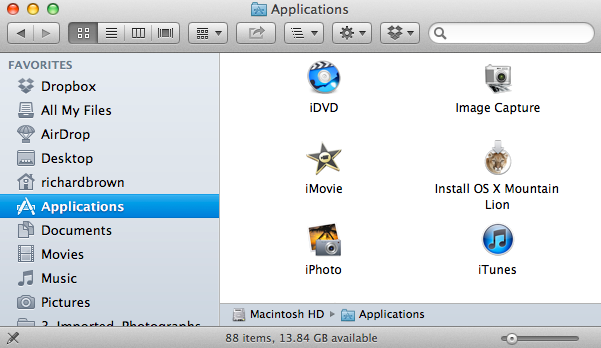
OS X 10.8 – Mountain Lion – the upgrade

Technology keeps moving on and after assuring myself that my key apps would work, I bit the bullet and upgraded.  As always with an Apple Mac and OS X, the upgrade was easy and trouble free.

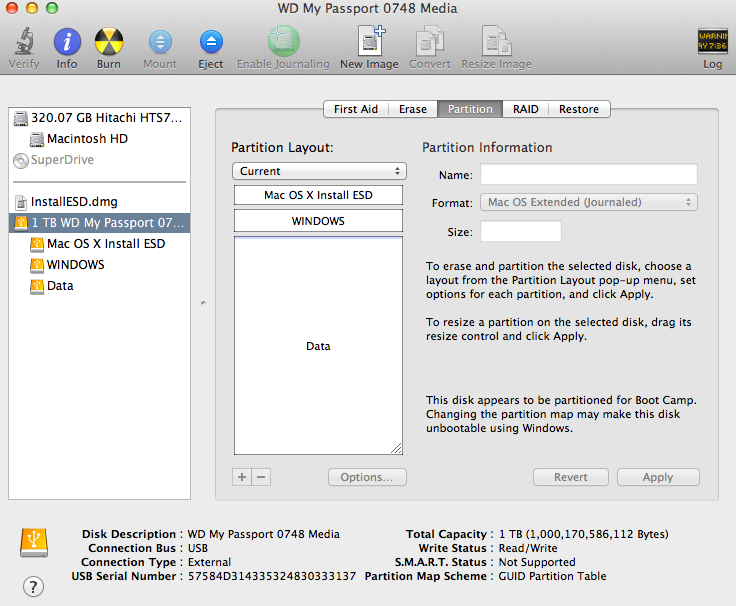
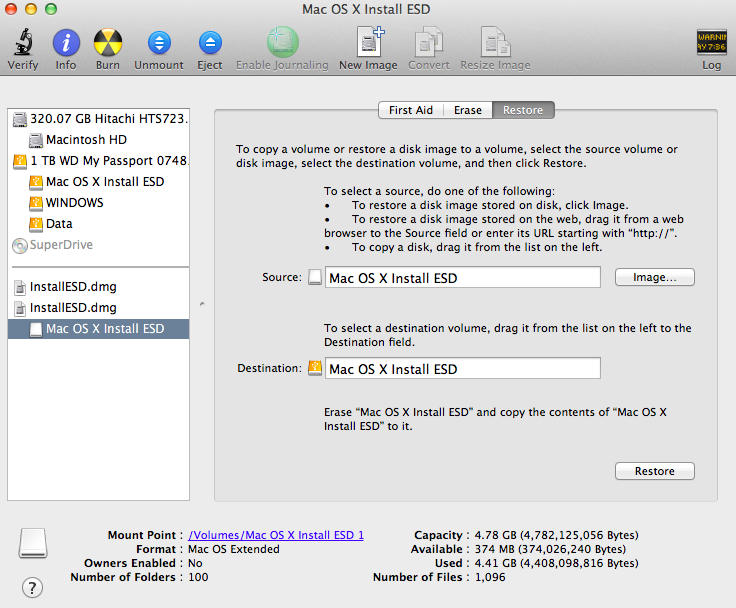
When I upgraded to Lion, I installed that on a second hard drive and tested all my apps first, I also waited for the first update from 10.7.0 to 10.7.1 before risking it.

But as Snow Leopard was to Leopard; more of a under the hood polish, then so is Mountain Lion.

Nothing too much to say about it yet, it all works and the computer is definitely a little quicker.  The major thing I have noticed is Safari, it really is much faster.