 Lightroom V5.4 has finally made an appearance, I know Fuji users have been waiting this one and for myself I was hoping for a more stable version. Lightroom V5 while very usable has been the least stable Lightroom of all the versions and I am hopping that V5.4 has finally gotten rid of all the bugs.
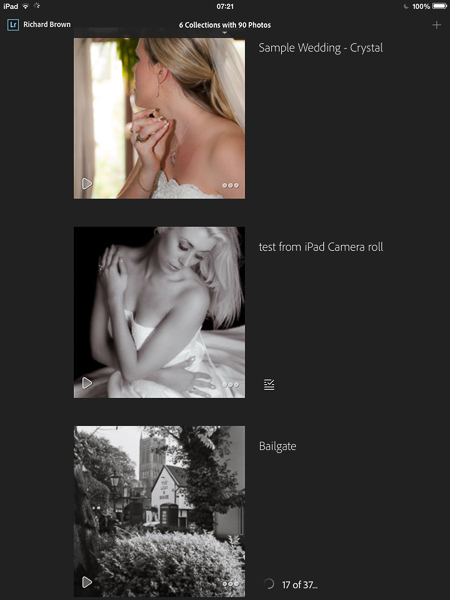
Along with Lightroom for the desktop; Lightroom Mobile for the iPad was released, a much anticipated launch. While detailed editing in a colour unmanaged environment is not practical, being able to do a quick edit sort through a selection of images and decide on you selects on the iPad is a very useful thing.
I would have loved to see some meta data facilities and key wording but that has not made this version, until then we will still have to use applications like PhotoSmith on the iPad.
While the mobile app can edit your photographs already on your iPad it really works if your an Adobe Create Cloud subscriber. You can simply select which collections you want to sync over and its as simple as that.
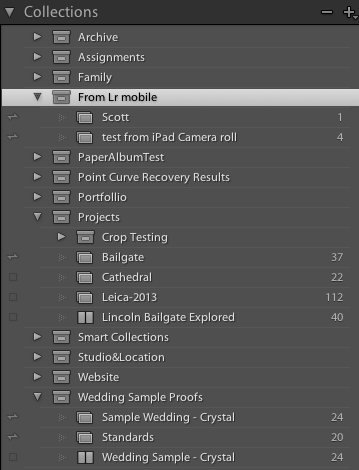
The big question for me was if it could handle Nikon RAW files or DNG files imported directly to the iPad. Unfortunately testing with my little Nikon V1 and Leica M8 has shown that if your saving RAW/DNG only while the iPad can handle the files they cannot be brought into Lightroom Mobile, you need to convert first using either PhotoRaw or shoot jpg and RAW/DNG.
For now the source for you files has to be your computer not your iPad, not ideal if you want to work in the field and travel light and not take a laptop. Unless Adobe add RAW support then I can see an Apple MacBook Air arriving in my camera bag. Still it may suite your work flow or it may not, if your an Adobe Creative Cloud subscriber then its free to try out and test.
Its certainly a very good first try.

 Quite a while ago now, back in 2012 I think, Adobe announced lossy DNG. Like many photographers I did not see the point but now that Adobe Lightroom Mobile has been released it makes more sense.
 The wedding season has truly started and we are now getting booked up for 2015.